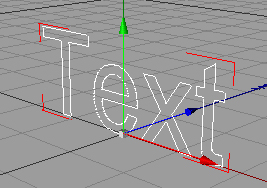
1. Go to Objects >> Spline Primitive >> Text u should see this now...
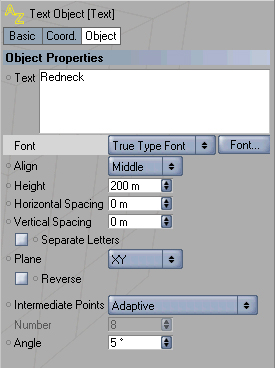
2. Now over to the right you can change your text to w/e you want.
3. Go to Objects >> NURBS >> Extrude NURBS.
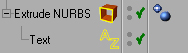
4. Now drag the word text into the word extrude nurbs like this
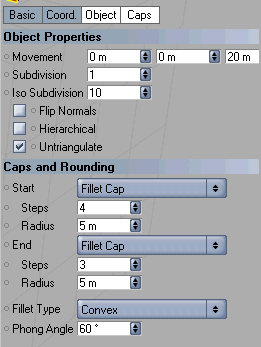
5. Now click on extrude nurb from the object manager so it turns red. below that select 'CAPS' and use these settings
6. This is what i got