Step 1
Start off with a new document (I used 400 by 400) with a white background.
Step 2
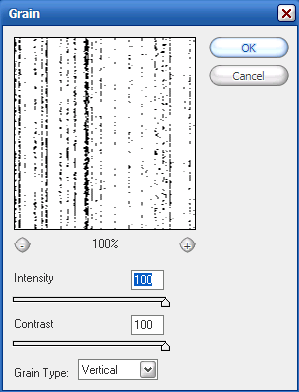
Now go to Filter>Texture>Grain. Use the following settings:
Step 3
Repeat step 2 by pressing Ctrl+F on your keyboard.
Step 4
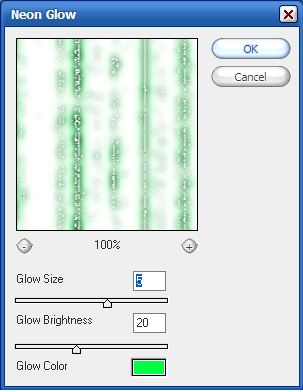
Now that you have your basic structure for the matrix system, go to Filter>Artistic>Neon Glow and use the following settings:
Step 5
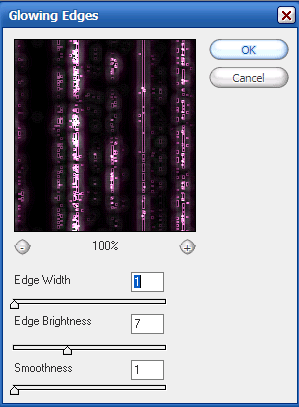
Almost done. Now go to Filter>Stylize>Glowing Edges and use the following settings:
Step 6
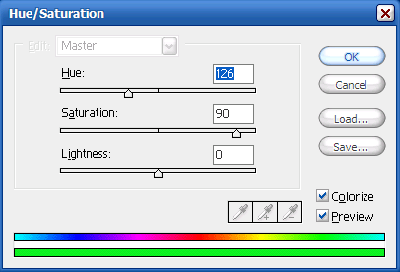
Now hit Ctrl+U on your keyboard to colorize, and use these settings:
Step 7
Add some text and you're done! Here is my final product: