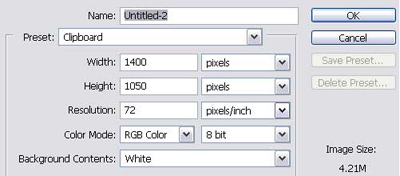
Step 1: Create a new document within photoshop cs (File/New: Ctrl + N).
Step 2: Set the default colors to black and white (d).
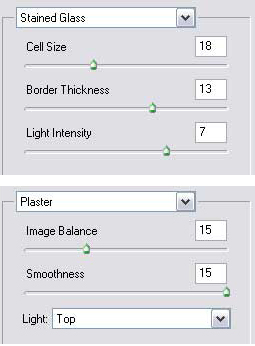
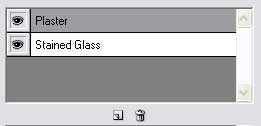
Step 3: Create the stones. (Filter/Filter Gallery/Texture/Stained Glass) + (Filter/Filter Gallery/Sketch/Plaster). Use Stained Glass to modify the size of the stones by changing the cell size, and the distance between the stones by changing the cell border. Then add the Plaster filter and make sure it is stacked above the first filter.
Step 4: Select the stones. Use color range and check the invert box (Select/Color Range). This selects everything except the space between the stones.
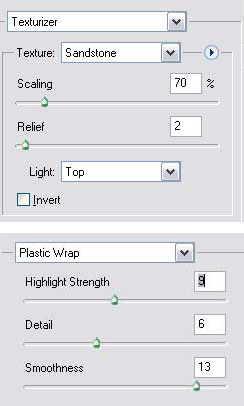
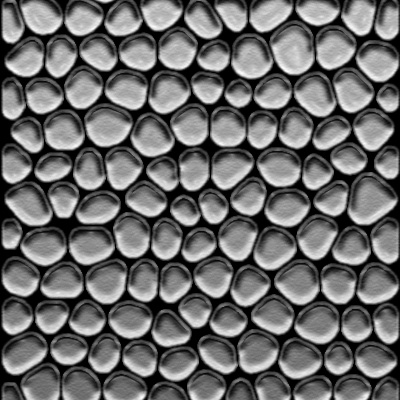
Step 5: To give the stones a grainy texture and some gloss I used the filter gallery to apply two filters: (Filter/Filter Gallery/Texture/Texturizer) + (Filter/Filter Gallery/Artistic/Plastic Wrap).