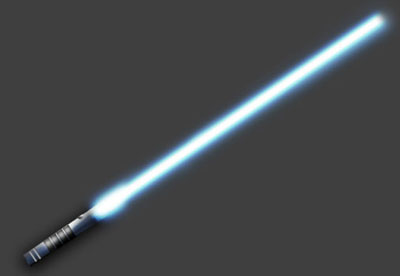
Create your own lightsaber in photoshop.
1. Open a file 800x600 with a transparent background.
2. Add any color except white and black as your background, i used gray. Make a new layer and using the square marque tool select a thin rectangle.
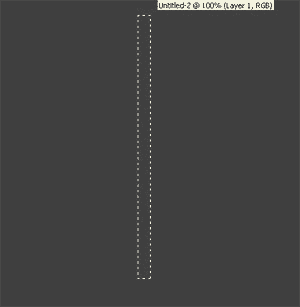
3. Pick two colors. I used blue and white. You must use white and it must be in the forground.

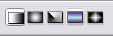
4. Now select the gradiant tool. Make sure you select the Reflective Gradiant. Fill in the rectange that we made in step 2. It should look like mine.
When filling in the rectangle start at the center of the rectangel and go to the right, then let go when u get to the edge of the rectangle.
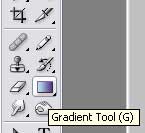
The 4th Icon is the Reflective Gradiant
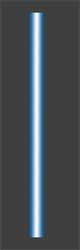
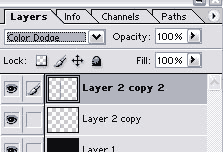
5. Make a copy of this layer. On the original layer go to FILTER > BLUR > GUASSIAN BLUR and set it between 6-7. Then pick the new layer and do the same thing except set it to 3. With the new layer still picked, set it to color dodge. You should have something like this now.

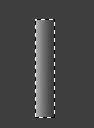
6. Now on to the handle. Make a new layer and using the square marque tool make a selection that is about the size of a handle.
7. Again using the gradiant tool, except this time we are going to use the 1st icon(pic in step 4). The 2 colors we are going to use are dark gray and white. Make something similar to this, making one site dark and the other very lite gray.
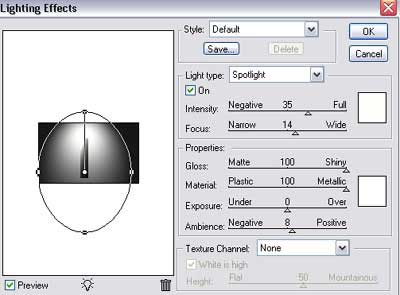
8. With go to Filter > Render > Lighting effects. Heres what i did.
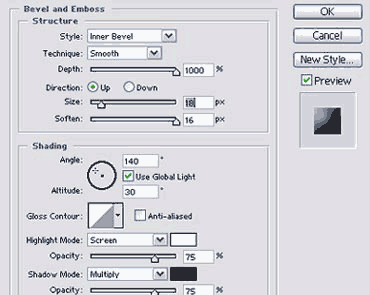
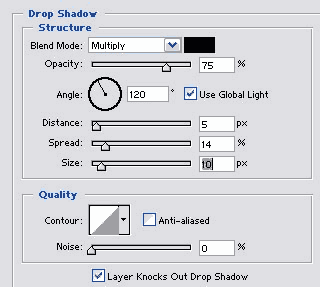
9. Now go to Layer > Layer style > Bevel and emboss. Use these settings. Add Drop Shadow to the handle.
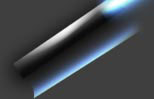
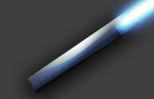
10. Now make a copy of the 2nd layer that you used to make the saber. The layer that you set to color dodge in step 5. Move the layer so thats its on top of the handle. your handle should now look like the handle on the right.
Note: I rotated my lightsaber to give it a more perspective look. If you do the same some of the above and below settings will have to be changed.
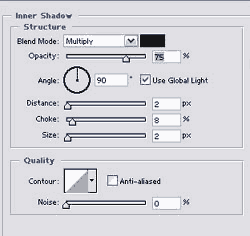
11. Make a new layer and make a thin white line across your saber handle. No go to Layer > Layer style > Inner Shadow. Use these settings.
I made a copy of this layer so my saber has 2 lines going a cross.
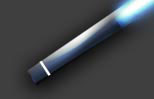
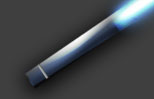
12. You now have a basic lightsaber. I did a little more work, basically using the techniques from the above steps to add some more stuff to my handle. Here is my final saber.