

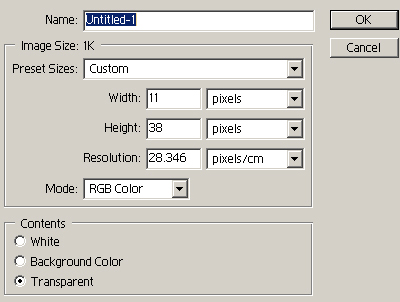
1. Open Adobe Photoshop and create a new transparent document.
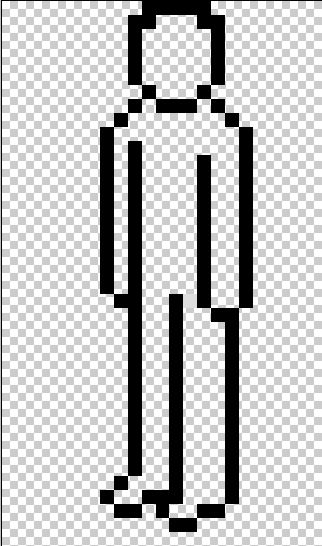
2. Select 1px black pencil tool and start drawing outline of pixel person.
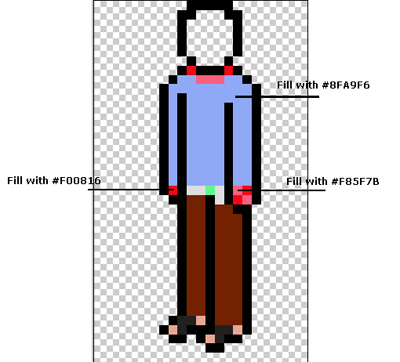
3. Now start adding colors to him as shown below.

4. Continue coloring.
5. Add more details.
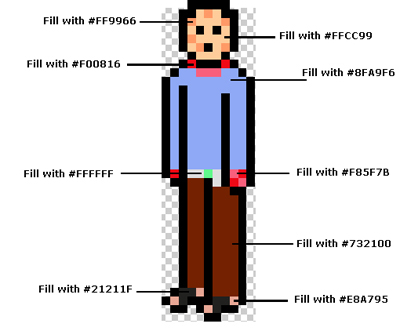
Here is my final results (I've added one more)


