


Illustrations created in all major vector drawing programs have a definite anatomy and share a common pattern. Whether you use Deneba Canvas™, Adobe® Illustrator®, CorelDRAW or Macromedia® FreeHand® you will find that this pattern exists even though each program may define the parts differently. The purpose of this section of the web site is to take apart a vector drawing so you can see how it is put together and able to understand it. In the illustration section is a table of equivalent terminology to better help you translate the terms from one application to another. This will clarify the subject and make it less confusing. You will not be bound to a single application once this becomes clear to you.
The pattern of vector illustrations is best viewed or represented as a hierarchy or "tree". The illustration itself would be at the top and its various parts would descend below it:
| An illustration is composed of vector | ||||
| Objects each having one or more | ||||
| Paths which are composed of | ||||
| Line segments having | ||||
| Anchor poitns at each end | ||||
| Illustration: | Objects: |
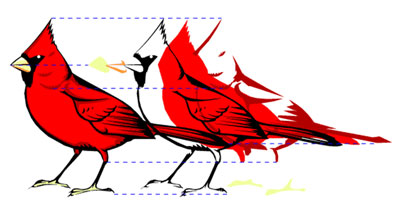
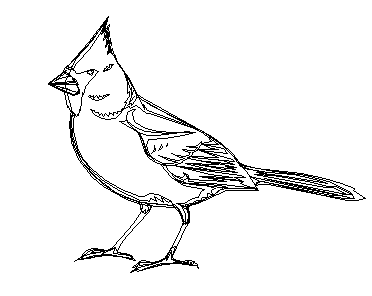
Paths:
Line Segments and Anchor Points:
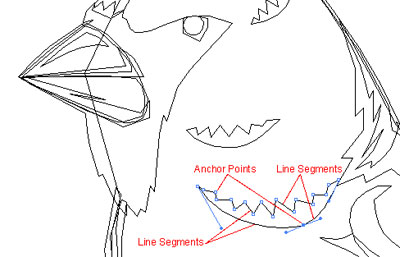
In the diagram above the object shown is composed of a single closed path composed of 19 line segments and 19 anchor points. Notice the curved line on the bottom. It is composed of 2 separate line segments even though it appears to be one continuous smooth line.
