


This tutorial is about how to make a rose with swish2.We will use many ellipses in this and we will not use any other tool not even bezier.The gradients are very important.If any gradient will be different then the rose's shape will be changed.So be careful while making this rose.Lets get started!
Design:
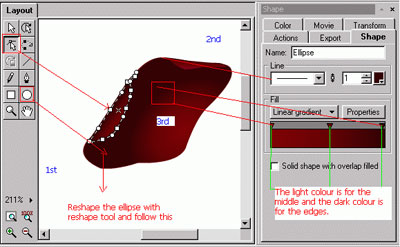
1. Draw 3 ellipses and reshape them by selecting tool "reshape" and move the dots.Also select the colour from the "shape" tab but colour must be "Radial Gradient, apply the colours according to the following image:
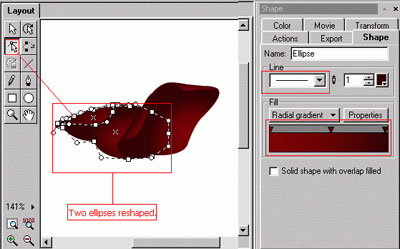
2. The first petal is ready.You have to make more 2 ellipses and reshape them by selecting "reshape" tool and moving the dots, apply "Radial Gradient"according to this image:
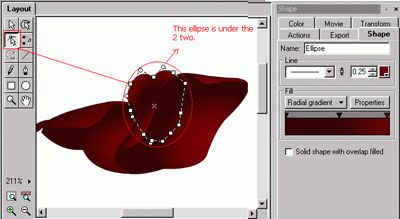
3. 4 petals are complete now you have to make some more like this:
4. Make other ellipses and move them to the bottom.It means that all the ellipses that you will make, these must be under the previous ellipses.Like this.
1:
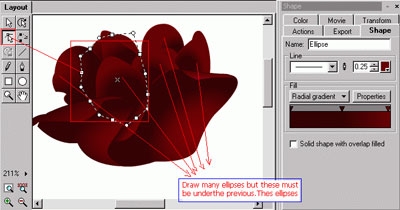
2:
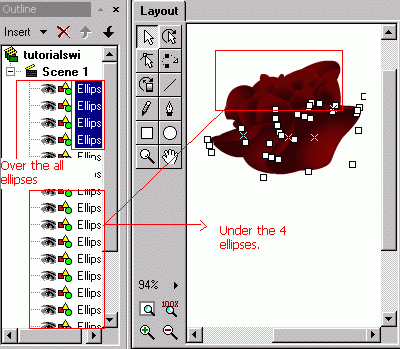
5. So now you have to follow the same step that we did before. Follow this image and design the ellipses like this:-
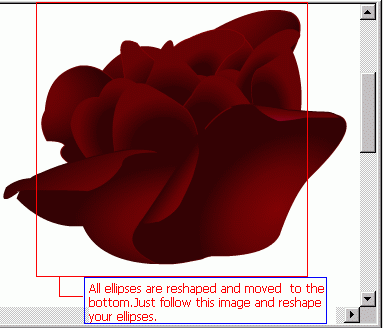
Rose is complete.
Stem:
1. Draw an ellipse and reshape it.Also apply the colours. After making one, just copy this and paste it in the scene and flip it.Now make two other and apply the same method.(copy+paste+flip) follow the image:-
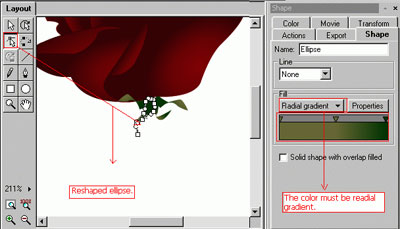
2. Real Stem:
1. Draw an ellipse and select"Radial Gradient" from the "shape" tab. Aply these colours that I have applied on the stem.Also follow this image:-
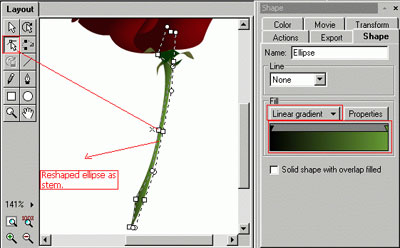
Stem is complete.
Leaves:
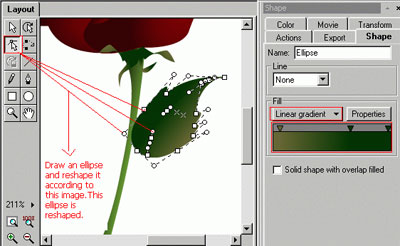
1. Draw an ellipse. Select "Linear Gradient" from the "shape" tab.Also reshape this ellipse according to this image:-
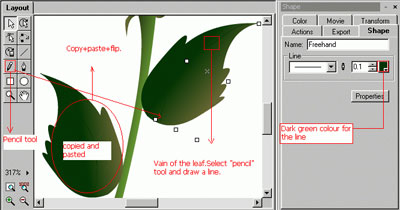
2. Now you have to make vains of the leaf. Select tool "Pencil" and draw a line over the leaf. Ater this copy the whole leaf with vain and paste it in the scene.Then flip it and fix with the stem like this:-
Rose is complete, you will have the following result:
I hope this will help!
