

Example:
For the purpose of the tutorial the Register has been disabled
Enter Name: Test and Password: Test.
Lets start by opening SwishMax i have used a movie size of 200 x 150.
Step. 1
Create an input text box name it UserName with a variable name of loginname
Create another input text box name it Password click the *** button to mask the entered text
And give the variable name of loginpass
Now create a dynamic text box call it Info with a variable name of status
After you have all the text boxes in place type using static text Username: and Password:
Place these static texts at the side of each corresponding input text box.
You should have something looking like Fig.1
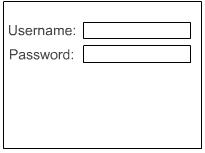
Fig.1
Step. 2
Now create a login button, you can do this by using the rectangle tool and placing some static text over the
Top of the rectangle and grouping them both together as a button.
Repeat the above step again and create a register button place these underneath the input text boxes
Offset to the right, you should have something looking like Fig.2
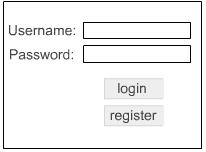
Fig.2
Step. 3
That's if for the look of things now lets add the coding to make it all operational.
Add the following code to Scene_1
|
onLoad () {
Stage.scaleMode="noScale"; loadVariables("auth.txt"); stage.showMenu = False; loginpass=""; loginname=""; status=""; } onFrame (2) { if (txtloaded!="OK") prevFrameAndPlay(); stop(); } onFrame (3) { status = "Wrong Data Entered" } onFrame (4) { stop(); } |
Step. 4
Now add the following code to the login button.
|
on (release) {
if (_root.username.text!= "" and _root.password.text !="") { if (eval(_root.username.text) eq _root.password.text) { getURL("http://www.yourlinkgoeshere.com","_blank"); } else { gotoSceneAndplay("",3); } } } |
Step. 5
Now add the following code to the register button.
|
on (release) {
if (loginname != undefined and loginpass !=undefined) { if (eval(loginname) == undefined) { trace(eval(loginname)); loadVariables("auth.php","POST"); } else { status = "username already in use"; } } else { status = "all fields must be filled"; } } |
Thats it done for the Swishmax Side of things
Step. 6
Open notepad up copy and paste the following code into notepad and save as auth.txt.
|
&Test=Test&
&username2=password2& &username3=password3& &username4=password4& &txtloaded=OK& |
Step. 7
Now open notepad again and copy and paste the following code into it and save as auth.php
That's it all done, upload to your server and test it out.
