

Example:
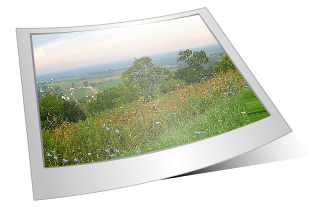
Step. 1
Open SwishMax and set the stage size, i have used 340 x 220 using the Bezier tool draw an isometric square like in Fig.1 below.
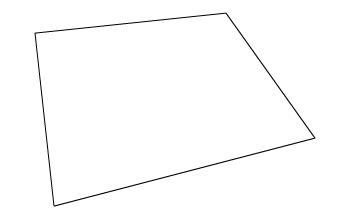
Fig.1
Now select the Reshape tool right click on the top and bottom line
And add Quadratic to them, this means that the edge is curved and has one control point.
Click the top Quadratic point and drag downwards slightly
Do the same to the bottom Quadratic point giving a more curved look, see Fig.2 below.
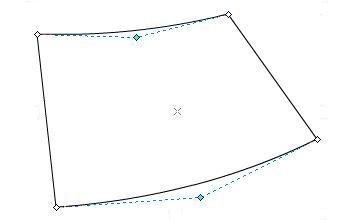
Fig.2
Name the shape Polaroid give a solid white colour and a light grey outline.
Copy and paste Polaroid in place, and rename Shading, apply the following settings
The outline grey colour is #777777, the two grey colour in the gradient are #828282 set at 50% alpha
The middle colour is white #FFFFFF set at 42% alpha see Fig.3 below.
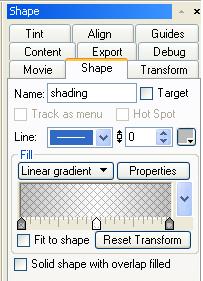
Fig.3
Now select the Fill transform tool and now select the Rotate/Skew tool and using the blue anchor points rotate the gradient until you have something looking like Fig.4
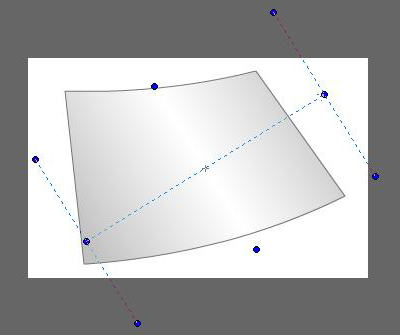
Fig.4
Step. 2
Adding the image mask
Using the Bezier tool draw a smaller isometric square on the top of your Polaroid shape and again using the Reshape tool add the Quadratic points and drag them downwards giving the curved shape look, use the same outline colour as the Polaroid shape previously created, the fill colour can be anything as this is going to be a mask name it image-mask see Fig.5 Below
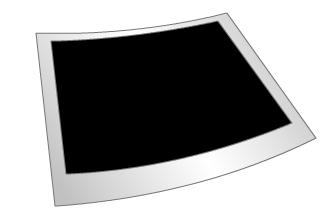
Fig.5
Now copy image-mask and paste in place, name as Light and give a linear gradient fill as follows.
All three colours are white #FFFFFF the two outside are set to 0% alpha and the middle is set to 42% alpha.
See Fig.6 below.
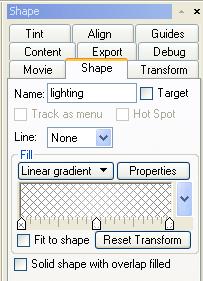
Fig.6
Now select the following shapes and group them together as a sprite image-mask and Light
Select use bottom object as mask and name the sprite as image you should now have something looking like Fig.7 below.
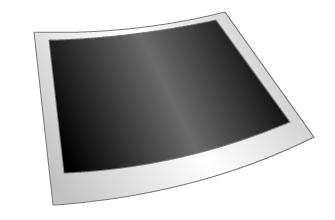
Fig.7
You can now import your image into the image sprite, and place under the Light sprite, now group all the objects together as a sprite and name the sprite Polaroid. You Should end up with a final image looking like Fig.8 below.
Final Image.
