Step 1:
Click File>Open and locate your picture file.
Copy the image I used.

Create a new layer (SHIFT+CTRL+N) and name it background change the color to #FFFFFF. More the background layer under the layer with your picture.
Step 2:
Make sure you are on the layer with the picture. click Images > Adjustments > Hue/ Saturation and add the setting below.
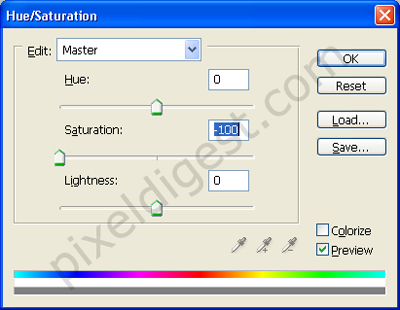
Step 3:
Finished work.