
Original picture
Step1:
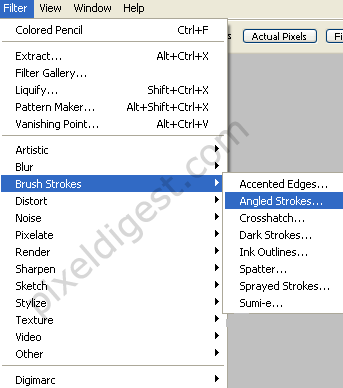
Open your picture in Photoshop. Make sure the picture is on a separate layer from the background. On the layer with your picture click Filter >Brush Strokes >Angled Strokes as shown below.
Step2:
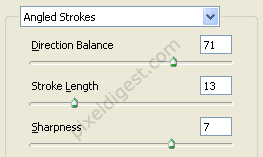
we need to add the effect, after clicking on Angled Strokes add the setting below.
Step3:
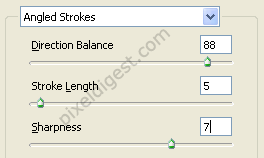
Click on Filter >Brush Strokes >Angled Strokes and add the setting below.
Step4:
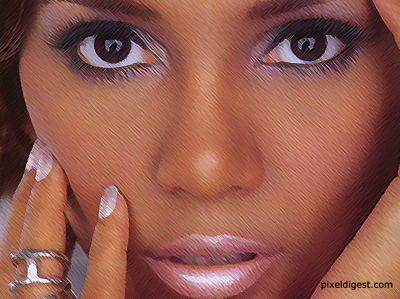
Finished work.
Click to enlarge
