Step1:
Create a new image File > New (ctrl +n) set the width and height to:
Width =800
height = 600
Step2:
Click on the type tool
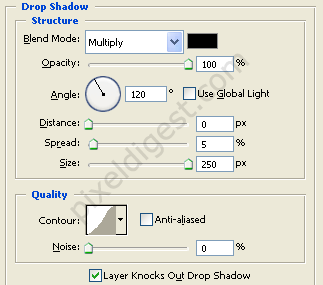
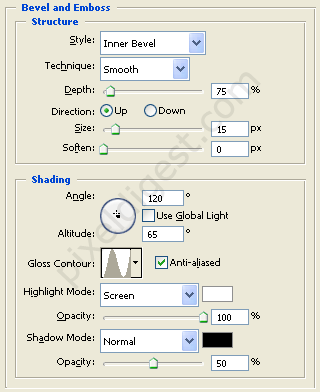
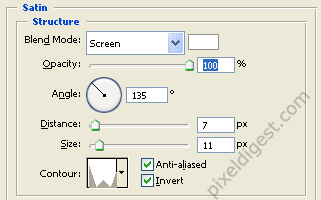
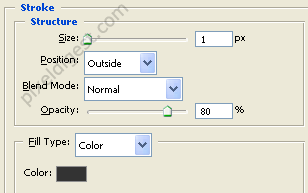
 and type CHROME. Right click on the layer and click Blending Options and enter the setting below.
Drop Shadow
Bevel and Emboss
Satin
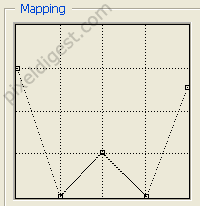
Satin Counter Setting
Stroke
Step 3:
Finished work.

Click to enlarge
