


Step1:
Create a new Flash Document with the dimension 550 as the width and 400 pixels as the height, set the background color to white.
Click on the Type Tool
 and type something on your work area. I typed WELCOME TO as you see in the image below using the Impact font.

Click on frame 8 and press F6, select the Selection Tool
 right click on the WELCOME TO text and click convert to symbol Graphic as shown in the image below.
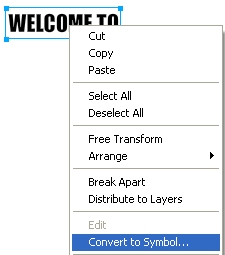
Again click on the Selection Tool
right click on the WELCOME TO text and click Break Apart. Break Apart the text two times.
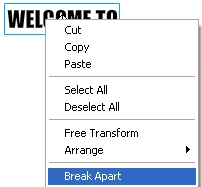
Step2:
With your text broken apart click on frame 8 of layer 1. We need to add a Shape Tween to this layer. After clicking on frame 8 the window below should come up. Change the Tween to shape
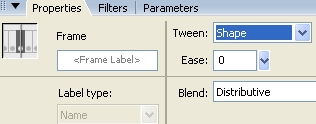
Click on Frame 30 of layer 1 and press F6, this to insert another frame. Now click on the Type Tool
and type something on your work area, I typed PIXELDIGEST. As in step one click on the Selection Tool
right click on the PIXELDIGEST text and click Break Apart. Break Apart this two times also.
Step3:
At this point you should have the WELCOME TO and PIXELDIGEST text broken apart and on frame 30. Delete the Welcome To text and move the Pixel digest text into its place; you can turn on the grid to help you with this.
Well, that is it. Hope it come out to what you expected.
