

This is a tutorial for someone looking to make a sandstorm effect quickly and easily.
First, open the image you want the sandstorm added to, then make a new document that's around twice the size.
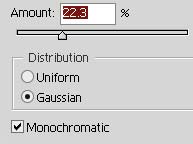
Fill the new document with black, then add noise to it with these settings:
All right, now set the layer's blend mode to "Screen" and drop it's opacity down to anywhere between 35 and 45%, just depending on the image you're adding it to.
Transfer the layer to the original image and switch to ImageReady, and then make a new frame by pressing
 in the animation window.
Now move it up and right a ways, then hit the tween button (
 ) and make it around 4 or 5 frames and hit OK. You're done!
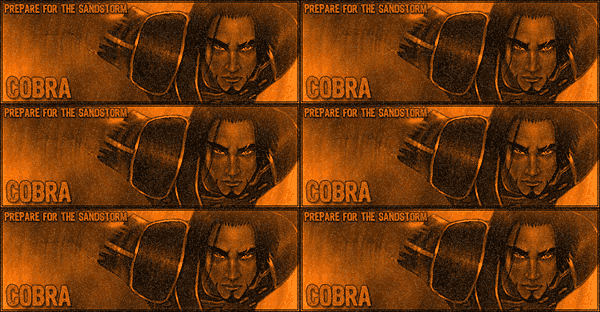
Make sure you tweak this tutorial to get your desired effect. Every image requires certain settings, and if you get creative, you can use this tutorial as a means to create a whole new effect.
