Learn how to recreate the logo of the hitshow, LOST...
Step 1
Open up a new document with a black background and on a new layer, type L O S T with spaces between all characters. I used Arial Narrow;

Step 2
Add these settings to the text;
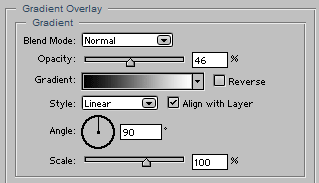
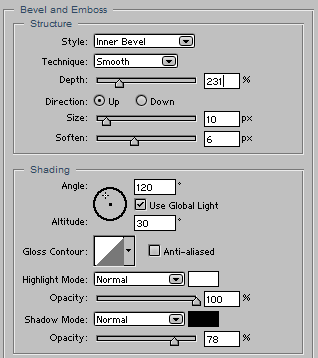
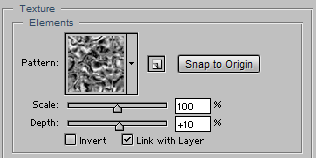
Step 3
Duplicate this layer and flatten it by creating a layer underneath the copy and select the copy and press Ctrl+E, the place this flat layer under the original text and give it a nice Filter>Blur>Gaussian Blur...
And you're done!