


1. New document, 300x300, white background.
2. Hit Shift + M to select the elliptical marquee tool.

3. Hold shift to make a perfectly circular selection which covers most of your document, like this:

4. Make a new layer by hitting Ctrl + Shift + N.

5. Hit D to reset your colors to the defaults.
6. Alt + Backspace to fill your selection with black.

7. Ctrl + D to deselect.
8. Go to blending options by clicking on the blending options icon in the layers palette.

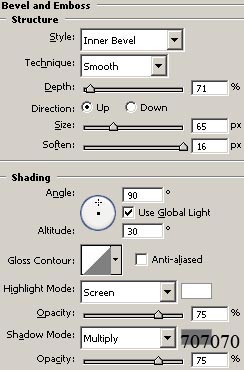
9. Bevel and Emboss with these settings:
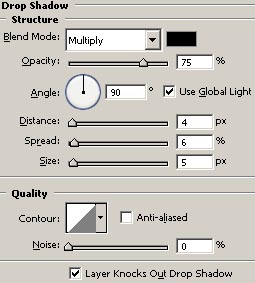
10. Drop Shadow with these settings:
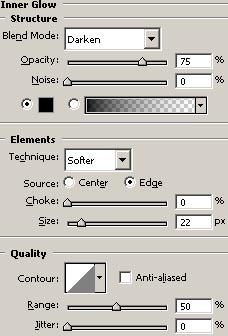
11. Inner Glow with these settings:
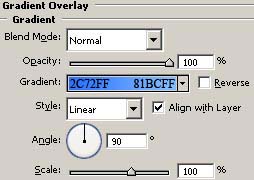
12. Gradient Overlay with these settings:
13. Now it should look like this:
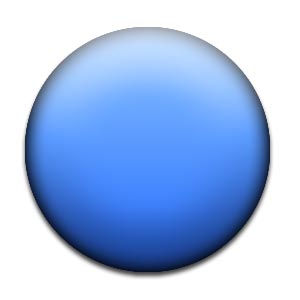
Pretty simple if you ask me!
