

This week we are going to look at how to draw a CD in Photoshop 7. We will be using the new opacity options on the layer palette. We will also be using the fade fill command. Not too many people even know about this incredibly useful tool.
So without further adieu lets make a CD!Create a new document 5" X 5" at 72 dpi in RGB mode.
Use the guides to define the center of the page.
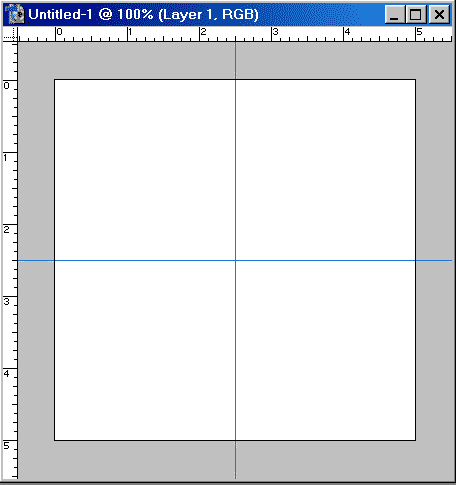
Choose the elliptical marquee tool and holding down the Shift and alt/option key draw a circle from the center.
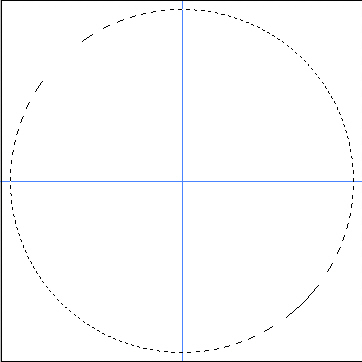
Create a new layer.
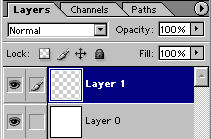
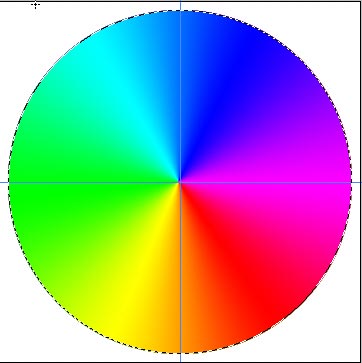
Choose the rainbow conical gradient tool.

Begin at the center and drag the gradient tool to the outside to create the fill.
Now choose a greenish color and fill right over the top of the gradient.
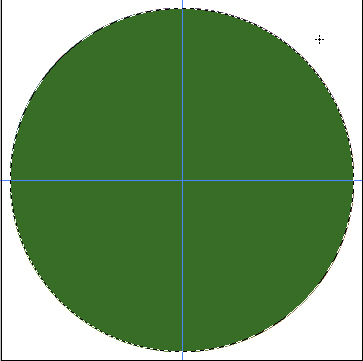
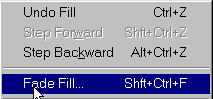
Press Edit>fade fill
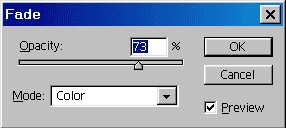
I Selected color mode and lowered the opacity to 73%. Experiment to see what works best for you.
You should have something that looks similar to this.
Now make a smaller selection with the elliptical marquee tool.
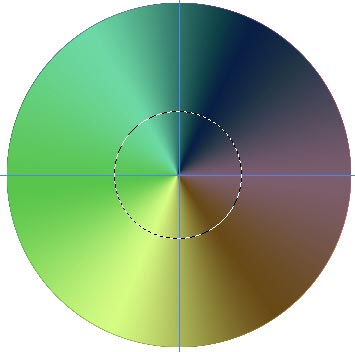
Press the delete key to cut a hole in the CD. Don't deselect.
Create a new layer and Fill with white. Make a smaller circle and delete the center.
Your CD should now resemble the picture here.
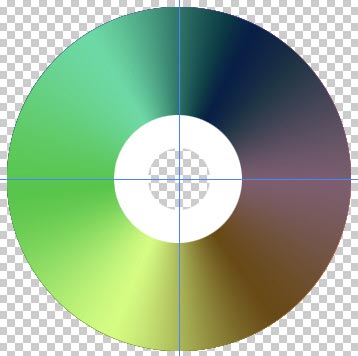
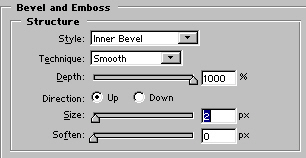
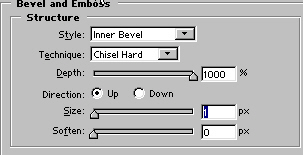
Using the layer styles, add a bevel to the small ring.
Lower the fill opacity to 6%.
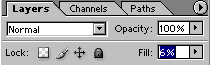
Notice how the layer style remains and the fill is reduced.
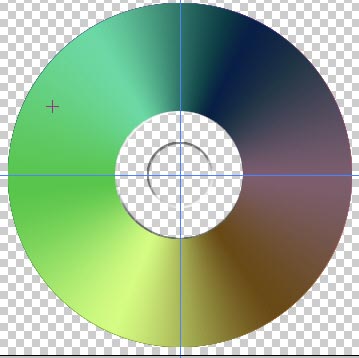
Merge the 2 cd layers together.
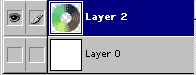
Apply a beval and a drop shadow to the layer.
Here is our final CD!

I hope this little tutorial showed you how to use some handy Photoshop tools as well as give you a fun little image to play with.
 Pete
Bauer is the Help Desk Director for NAPP, as well
as a Contributing Writer for Photoshop User and Mac Design
magazines. His books include "Special Edition Using
Adobe Photoshop 7" (with Jeff Foster), "Special
Edition Using Adobe Illustrator 10," "Sams Teach
Yourself Adobe Illustrator 10 in 24 Hours" (with Mordy
Golding), and "Special Edition Using Adobe Illustrator
9." Pete writes documentation for a variety of computer
graphics related products, as well as testing software
for a number of companies. As a computer graphics efficiency
consultant, Pete specializes in customized training programs.
He is based in Columbus, Ohio, and can be contacted via
Pete
Bauer is the Help Desk Director for NAPP, as well
as a Contributing Writer for Photoshop User and Mac Design
magazines. His books include "Special Edition Using
Adobe Photoshop 7" (with Jeff Foster), "Special
Edition Using Adobe Illustrator 10," "Sams Teach
Yourself Adobe Illustrator 10 in 24 Hours" (with Mordy
Golding), and "Special Edition Using Adobe Illustrator
9." Pete writes documentation for a variety of computer
graphics related products, as well as testing software
for a number of companies. As a computer graphics efficiency
consultant, Pete specializes in customized training programs.
He is based in Columbus, Ohio, and can be contacted via
