


1. Create a new image 256x256 pixels with transparent background. Rename the first layer as "background"
2. Fill the background with white color #ffffff.
3. Create a new layer, rename this layer as "circle".
4. Select the Elliptical Marquee Tool and draw a circle 222x222 pixels while holding Shift to get a perfect circle.
Save this selection as "circle selection".
5. Fill the selection with any color. I used #880303

6. Select a dark red color as foreground color and a lighter red color as background. I used #880303 and #b51919.
Select the gradient tool with radial gradient style and drag from top left of the selection to the the bottom right.

7. Create a new layer and rename this layer as "reflection".
8. Load the "circle selection" and choose the Elliptical Marquee Tool and draw a curve from bottom right to the middle while pressing "ALT". Release mouse button and you will get a selection like this:

9. Select "reflection" layer and fill the selection with white color #ffffff. Set the layer opacity to 15%

10. Create a new layer and rename this layer as "border".
11. Select the Elliptical Marquee Tool and draw a circle 242x242 pixels while holding Shift to get a perfect circle. Position this circle around the first circle.

12. Fill the selection with grey color #b6b6bc
13. Load the "circle selection".
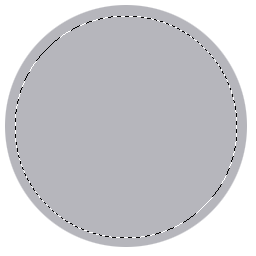
14. Press DEL and you will get a border around the circle:

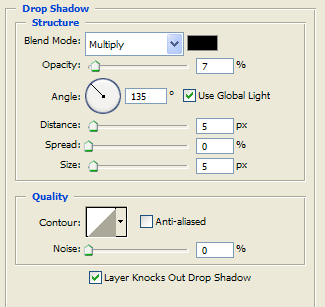
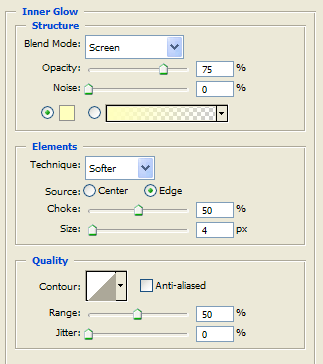
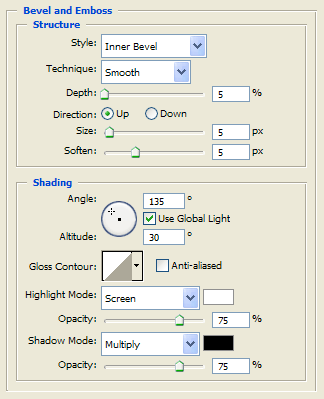
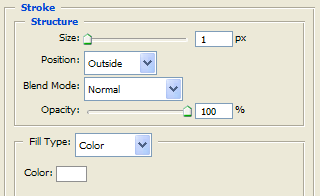
15. Right click the "border" layer and choose Blending Options, use these settings:
Drop Shadow:
Inner Glow:
Bevel and Emboss:
Gradient Overlay:
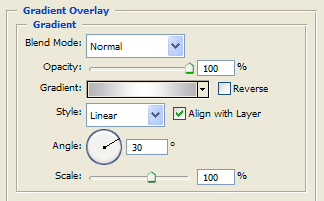
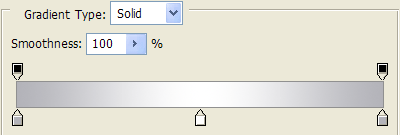
Gradient Overlay uses 3 colors: #b3b3b9 #ffffff #b3b3b9
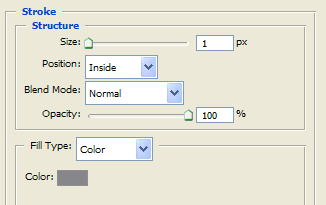
Stroke:
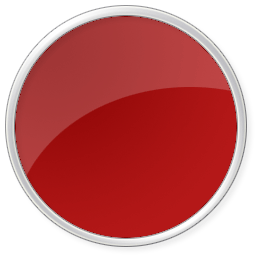
16. When finished you will get this:
17. To make the "x" sign I have typed a plus sign "+" with a font called "Army" to 300 size. Then I have rotated 45°. Be sure to move the "+" layer below "reflection" layer.

18. Right click the "+" layer and choose Blending Options, use these settings:
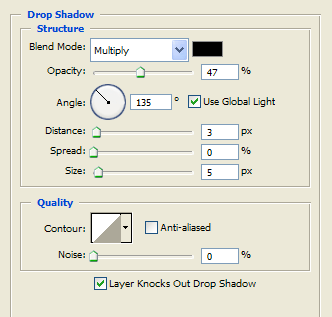
Drop Shadow:
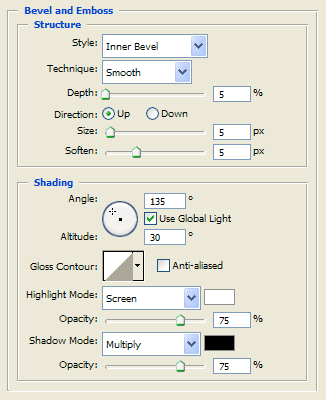
Bevel and Emboss:
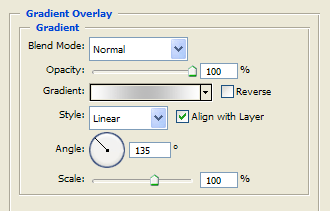
Gradient Overlay:
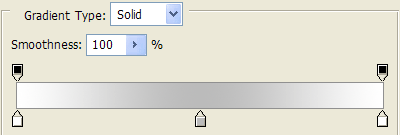
Gradient Overlay uses 3 colors: #ffffff #bbbbbb #ffffff
Stroke:
19. The final result is:

Now you have a nice looking Windows Vista Icon !
