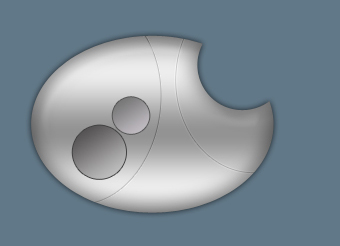
Open a new file with 500x300 px and 72 dpi. Pain it in the indicated color – 617888.

Using the shown instrument
 , it's possible to create a corps of the car's security panel. First you need to represent a big ellipse, then – the smaller one by keeping pressed the Alt button. Its color must be CACACA.
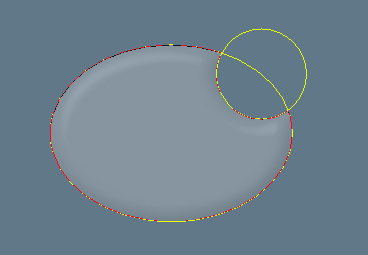

The Opacity must be of 35%.
Blending Options-Bevel and Emboss
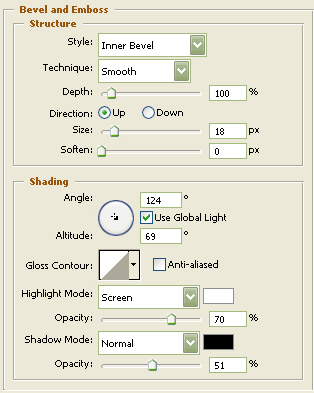
Copy the new represented layer, but we'll get back to it later.
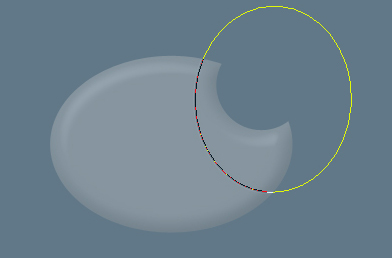
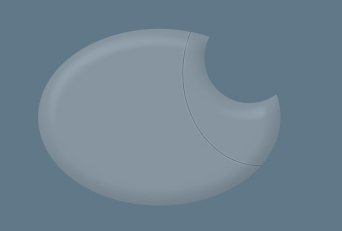
Now we need to create with the same instrument a relief deeping on the corps. Press the Alt button and click on the mouse's button between the corps's layer and the instrument's one. The instrument must be applied only in the corps's limits.
Fill 0% on the layers.
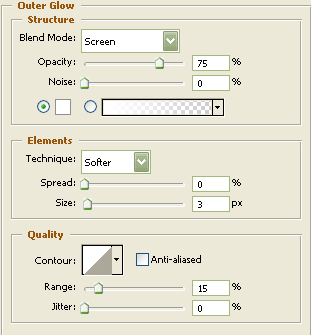
Blending Options-Outer Glow
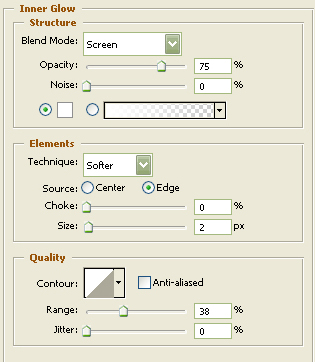
Blending Options-Inner Glow
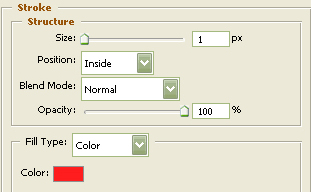
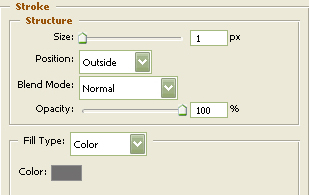
Blending Options-Stroke
With the opposite corps's part we must do the same thing we did earlier, but we must use other parameters. Press again on the Alt button and click on the mouse's button between the layers of the corps and of the instrument. The instrument is applied in the corps's limits too.
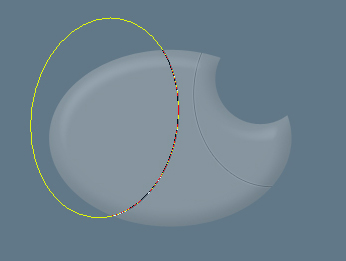
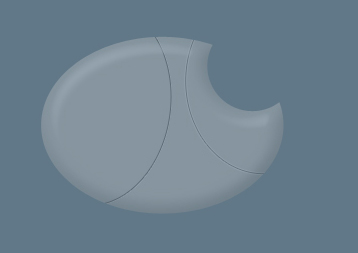
Fill 0% on the layers.
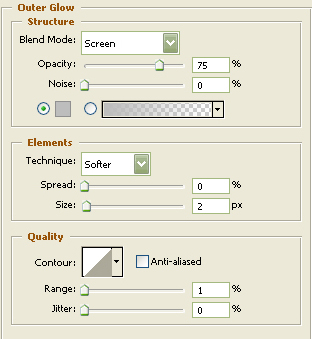
Blending Options-Outer Glow
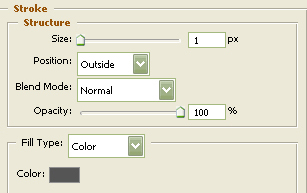
Blending Options-Stroke
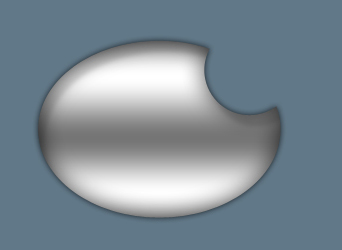
Get back to the copy. Apply the indicated parameters below.
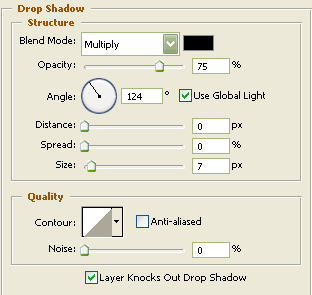
Blending Options-Drop Shadow
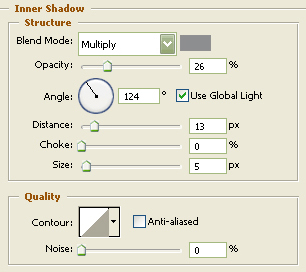
Blending Options-Inner Shadow
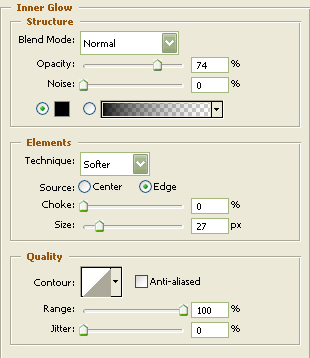
Blending Options-Inner Glow
Blending Options-Gradient Overlay
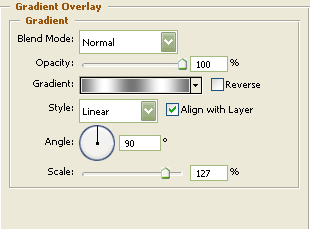
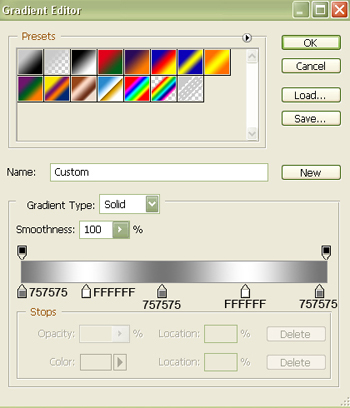
Gradient's parameters:
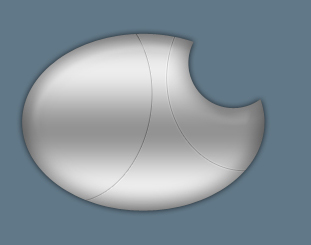
The layers containing the relief deeping must be placed above the recently processed copy (or the copy may be placed under the layers with the relief deeping).
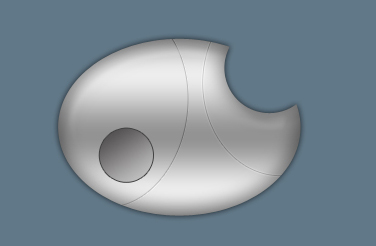
Take the shown tool
and represent a deeping under the button.
Blending Options-Gradient Overlay
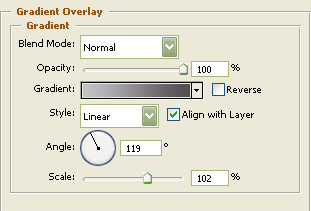
Gradient's parameters:
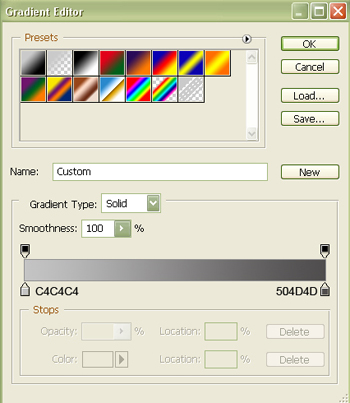
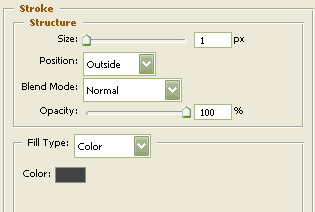
Blending Options-Stroke
Apply the same instrument to create one more deeping under the other copy.
Blending Options-Gradient Overlay
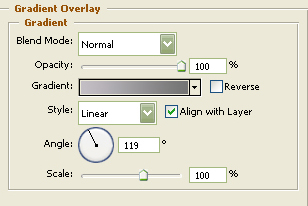
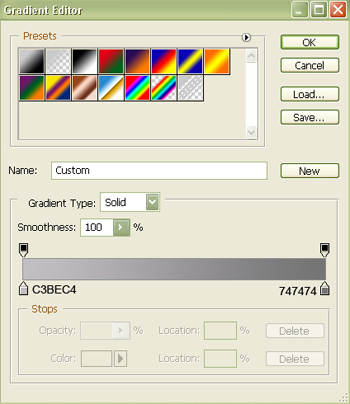
Gradient's parameters:
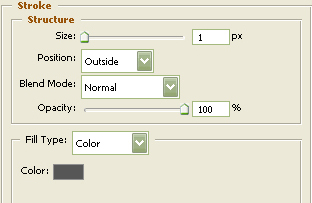
Blending Options-Stroke
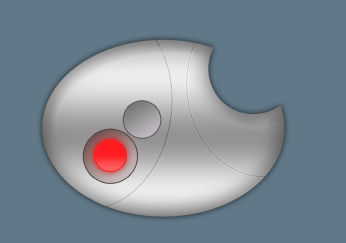
Represent now the big button with the shown tool
.
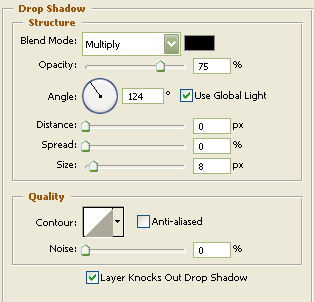
Blending Options-Drop Shadow
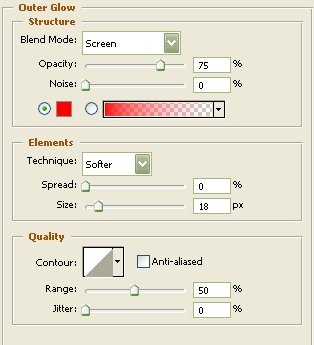
Blending Options-Outer Glow
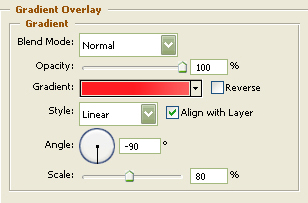
Blending Options-Gradient Overlay
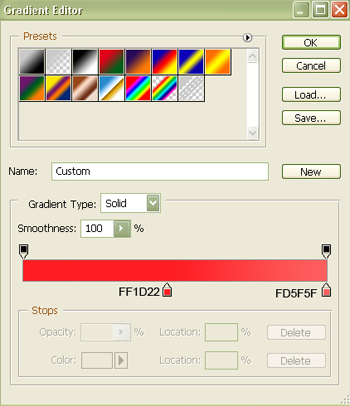
Gradient's parameters:
Blending Options-Stroke