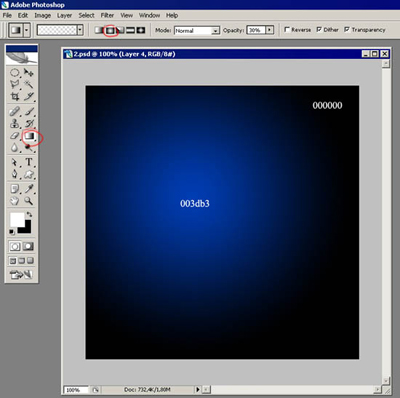
Make a file with parameters 500x500 and 72 dpi. Choose the instrument
 and make the mending, using the options like in the picture.
Now take the instrument
 and make a figure like it is shown in the picture.
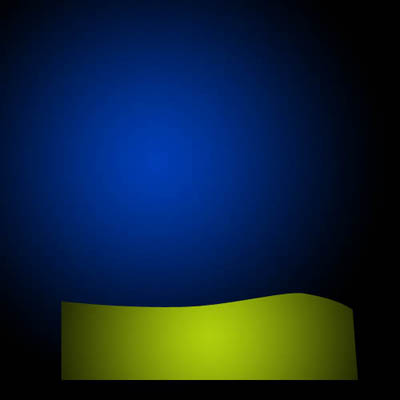
Use Blending Options to paint it.
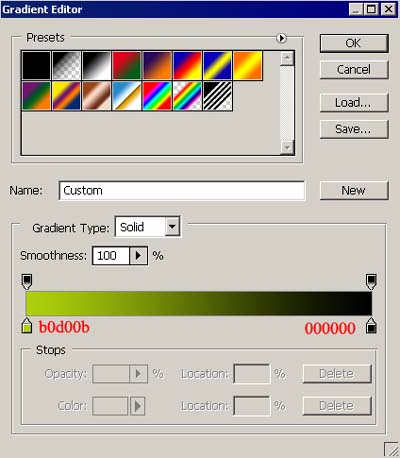
The color codes are indicated in the picture.
Choose the instrument
and draw an object like in the picture.

And one more but smaller with gradient

Display everything like in the picture.
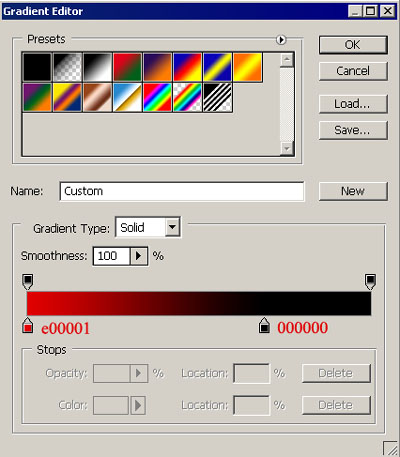
Use the same instrument to draw a face like the next one.

And one tiny element.

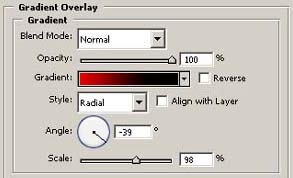
Use the same instrument to draw another figure that will have the gradient also.

You may find out form the picture how to set out the gradient.
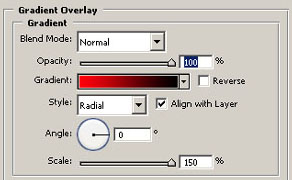
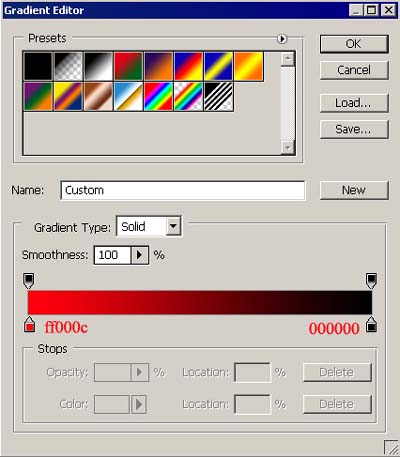
Now draw the bubbles using the instrument
 . Holding the Shift button pull out our bubbles to make them of different dimensions.

Click on the right mouse button on the circle and shoose Stoke and put data like on the picture.
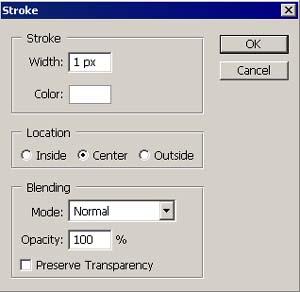
Use the instrument
 and erase everything unnecessary.
Do the same in the lower part of our scene. Use
for erasing and creating a figure of bubbles.

The final result.