

Step 1
Open a new document that is 500x80, RGB, on White background. Set your foreground color to WHITE and your background color to 00AEFF. And go Filters>Render>Clouds

Step 2
Go to your brushes and select the brush you see below
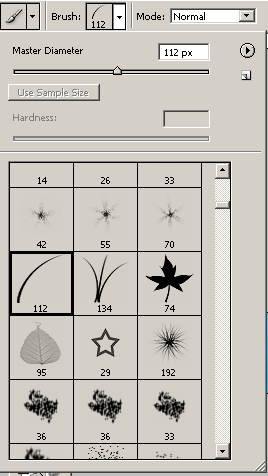
Create a new layer, make your foreground color 076902, and background color 0AB002 and go crazy on it, make a lot of grass!

Now, you can leave it like that, or you can add more effects to make it look more realistic.
Step 3
Add the following Layer Effects to the grass layer
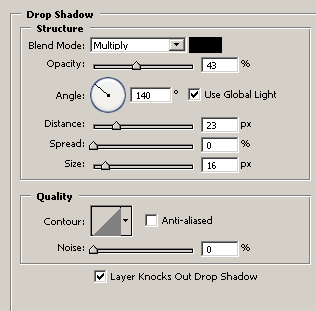
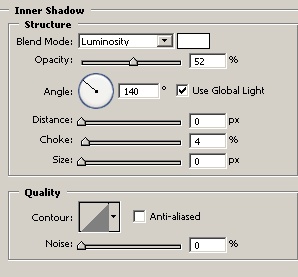
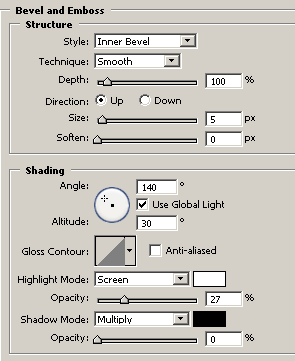
And at the end of that, your final result should look like this:

Now, dont limit yourself, add more effects and objects to make it look even better!

Good Luck!
