


Requirements
- Flash MX or higher.
Example
Try typing "are you going to the park?" in the top input box and clicking translate.
1. Open up a new flash document, in this tutorial I made mine 400x300.
2. Select the Text Tool and change the Text Type to Input. Draw a text box on the stage.
3. Give that text box an instance name of "tIn".
4. Now draw another text box below the first and change the Text Type on that text box to Dynamic.
5. Give the new text box an instance name of "tOut".
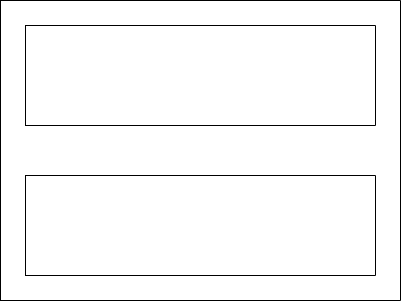
6. Your Stage should now look like:
7. Now you need a translate button. Select the Rectangle Tool and draw a small rectangle between the two text boxes, or wherever you want your translate button to be.
8. Select the Text Tool and change the Text Type back to Static Text. Click on the rectangle you just created and type "Translate".
9. Use the Selection Tool to draw a box around the rectangle and text to select them both, and press F8 to convert your selection to a symbol.
10. For Name, call it "Translate Button", and make sure to set the Behavior to Button.
11. Now select your button and for the Instance Name set it to "bTranslate".
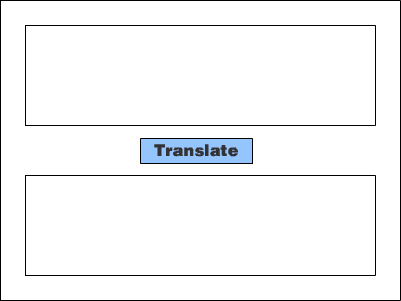
12. Your Stage should now look like:
13. Now deselect everything and press F9 to open the Actions Panel.
14. Insert the following code into the Actions Panel.
|
bTranslate.onPress = function()
{ var sInput = tIn.text; //Gets the text from the first text field. sInput = translate(sInput); //Goes through the translator. tOut.text = sInput; //Sets the second text field to the translated text. } function translate(sInput) { //This is where you add how you want your text changed. //It should be in the format of //sInput = searchAndReplace(sInput, What you want changed, What you want it changed to); //Remember to use quotes around the text you are changing. sInput = searchAndReplace(sInput, "why", "y"); sInput = searchAndReplace(sInput, "you", "u"); sInput = searchAndReplace(sInput, "are", "r"); sInput = searchAndReplace(sInput, "for", "4"); sInput = searchAndReplace(sInput, "to", "2"); return sInput; } function searchAndReplace(a, b, c) //Searches string a for b and replaces it with c { tmp = a.split(b); //Splits a into an array of values where b is. a = tmp.join(c); //Joins them back together with c seperating them. return (a); //Returns the changed string. } |
15. In the section of the code where you see
| sInput = searchAndReplace(sInput, "why", "y"); |
16. You will want to change the code to fit your needs. This code shows that it will change the word "why" to the word "y" when translated. If you wanted it to change the letter "a" to the letter "b" then your code would look like.
| sInput = searchAndReplace(sInput, "a", "b"); |
17. You may add as many lines as you want to this part of the code as long as you keep the same format of:
| sInput = searchAndReplace(sInput, "what you are looking for", "what you are replacing with"); |
18. You can make some fun translations of text by adding many different lines (Note: All replacements are case-sensitive)


