1. Start with your new document and Create a New layer. Select Pen tool from the tool bar. Set its mode to Shape layers. Now with the help of Pen tool create a Button like this:

Call this layer "Button Base".
2. Select Reflected Gradient tool and set its colors:
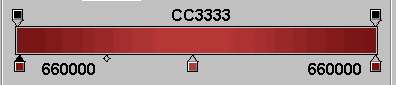
Create New layer and give it a name "Button Skin".Select "Button Base" layer .Apply Reflected Gradient from top to bottom on "Button Skin".

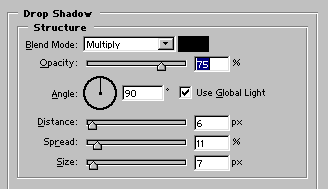
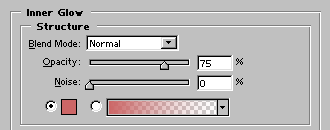
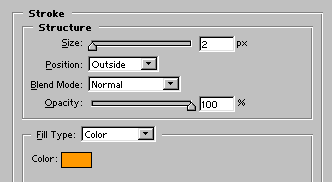
3. Apply these settings to "Button Skin layer".