
Have you every had a picture that was too dark? A picture that perhaps was taken at night or was taken on a gloomy day? Well if you want to make it appear as thought it was taken during day, the following steps will tell you how. I am going to brighten this picture up-
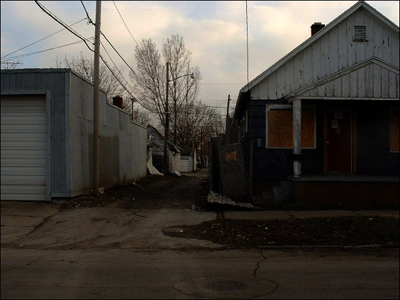
Click to enlarge
Now press ctrl+L (image>adjustments>levels) and do this-
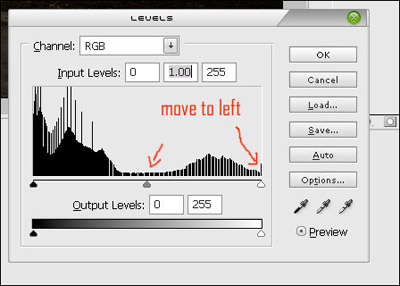
I moved the sliders a bit to the left and my image turned out like this-
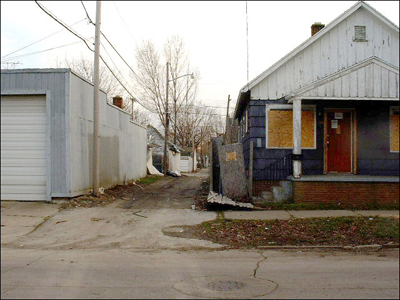
Click to enlarge
Other ways of altering lighting
- You can do the same thing by using 'curves',ctrl+M (image>adjustments>curves).
- You can also use brightness and contrast (image>adjustments>brightness/contrast).
- You can duplicate the layer and set the blending mode to screen.
This can make photos look like they were taken in day. You can also do the opposite of this tut and make photos taken during day appear like they were taken during the evening, although the extent of this little trick can be limited.
