


1. Create New Document 400x300px and Fill with color - #30B42A.

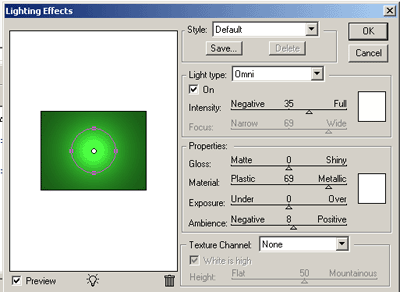
2. Apply Filter>Render>Lighting Effect
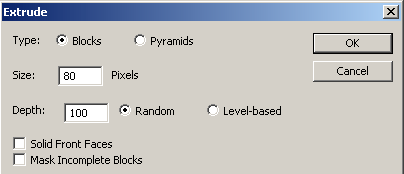
3. Go to Filter>Stylize>Extrude
4. And the results will be:

5. Now add in the left corner your text with font Amazon and add Stroke:

Good Luck!
