


Welcome back to our tutorials, let's start shall we?
Start with a new document. Use white as your background and make it 200x200.
Make a new layer and make a selection like below, with your polygonal lasso tool:
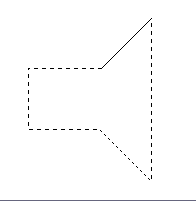
Fill it with a black. Now deselect (Ctrl + D) and apply these Blending options (right click layer > Blending options):
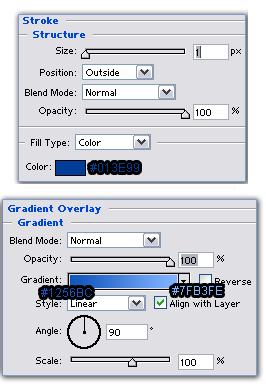
Your should now have this:

Have that? Now press Ctrl + T and size your image down. You'll get the shape below:

Make a new layer and follow the steps below:
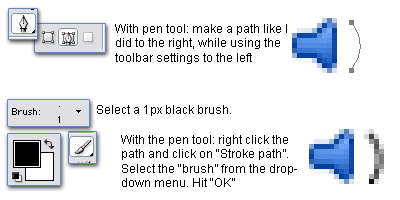
Again make a new layer and do as I did:
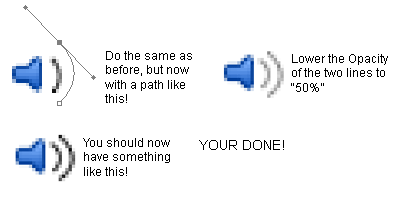
And we're done. Thanks for watching a I'll see you in my next tutorial!

