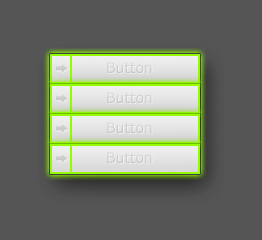
Let us start with a new document, not too small.
Fill the background with a dark grey, I used #555555
Get a new layer and make a New selection of 150px x 30px. Fill it with #94FB02.
With the selection still active, go to select > modify > contract. In the window type a "2" and hit OK
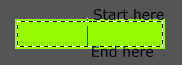
Give your new selection a gradient, while your foreground color is #EFEFEF and your background color #D8D8D8, now use the gradient tool like below:
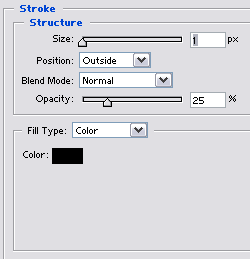
And apply these setting to your layer:
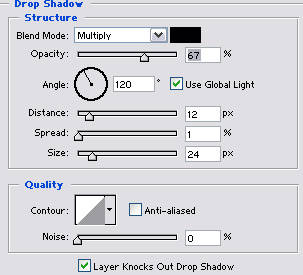
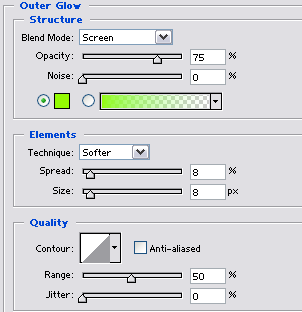
You should now have this:
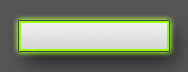
Well that's it, you could add some more details to it or duplicate it to get a real menu, my final outcome: