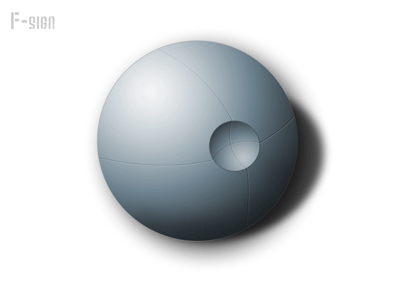
Start with a new document, i used 800 X 600
Make a new layer and call it "background", fill it with white
Again make a new layer, but this time call it: "sphere"
Make a 400px X 400px round selection. Take your gradient tool and make your foreground color white and your background color should be black.
Now make a radial gradient and use it like this:
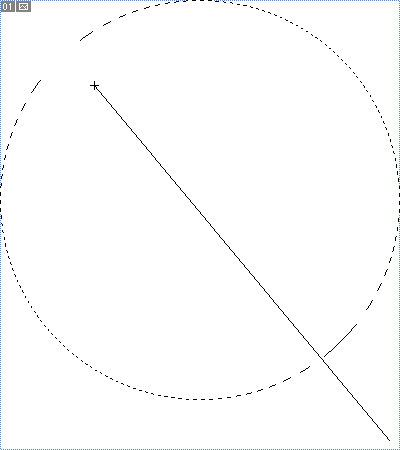
Now with the "sphere"layer active, press ctrl+U. in this new window you can give the sphere the color you prefer, just make sure that "colorize" is checked
Make a new layer and call it: "Cut out"
Now, make a new circle selection, only this time a lot smaller then before. Apply the same radial gradient as you did before, but this time do it like this:
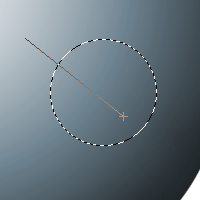
Press Ctrl+U again and repeat the process we did before Also give it a 1px black stroke, with an opacity of 32%
You should now have something similar to this:

Make a new layer underneath the "cut out" layer. and call it: "Big inset"
Grab your pen tool and draw a rounded path from the top to the bottom:
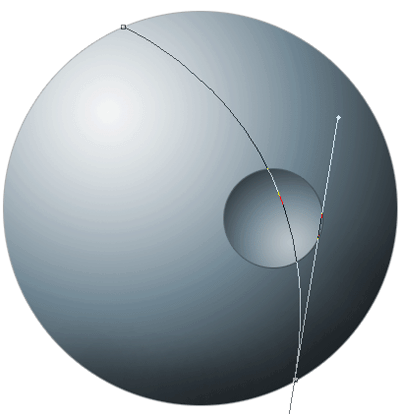
Now take your brush tool and select a 1px white brush. Go back to your pen tool and right click on the path. click on "stroke path" in the new window, select the "brush" from the dropdown menu and uncheck "stimulate pressure"
With your move tool active, press your down button 1 time. repeat the "stroke path" process, but this time, your foreground color should be black, don't use the move tool this time. Delete the path and set the "big inset" layer to "soft light"
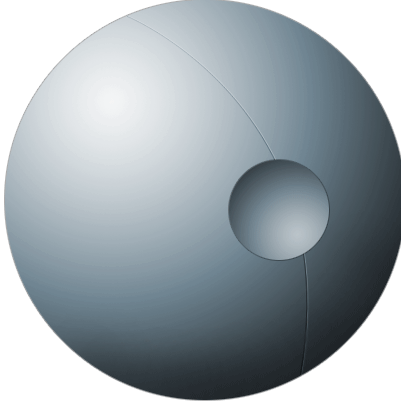
Repeat the whole process with the 2 "stroke path" things, until you've got enough inset lines, just make sure to make each inset line on a new layer.
My final outcome: