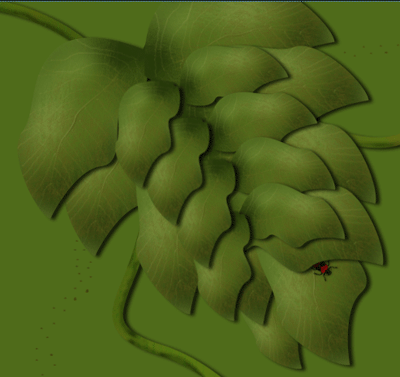
First open a new document, I used 800 x 600, because I wanted to create a wallpaper.
Now take your pen tool, and draw the shape of a leaf.
Right click on the path you've just created and click on "make selection", keep the default settings.
Fill the selection with the type of green you like.
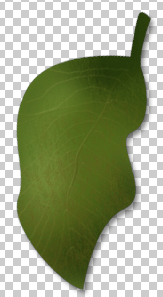
You should now have something like this:
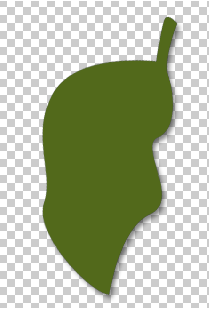
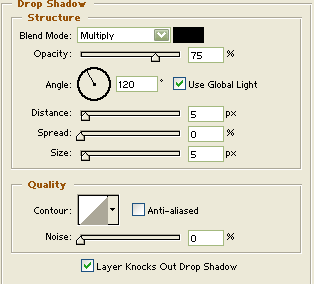
Give this layer a Drop shadow with these settings:
Now take your dodge tool and also your burn tool and start burning/dodging to make the leaf some sort of 3D
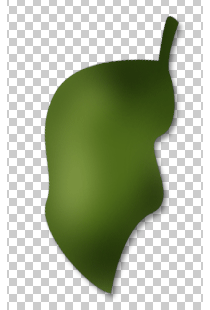
When that's done, make a new layer and call it "grunch". Now grab your brush tool, choose a grunge brush and start brushing with brown and some more with a green color.
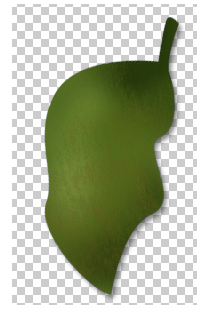
Again make a new layer and call it: "Big nerve"
Grab your pen tool again and make a path from the top to the bottom.(do not make it straight)
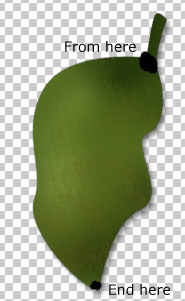
Grab your brush tool and select a 3px normal, green brush. Take your pen tool again and right click on your path and click on "stroke path" in the new window select the brush in the dropdown menu. And make sure "stimulate pressure" is checked.
Apply a bevel and emboss with these settings to your "big nerve"l ayer:
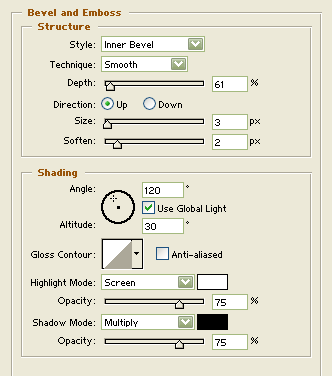
You should now have something like this:
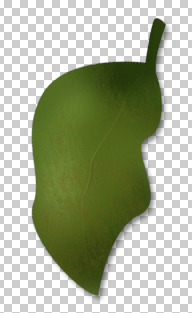
Make a new layer, call it: "small nerves" and grab your pen tool again. Start making small paths from the big nerve to the outside of the leaf. Again do the stroke path stamp we did earlier, with the same settings for your brush tool as we used before. Apply the same bevel and emboss to this layer and lower the opacity to 23%.
You should have something like this:
Now just duplicate this layer, flip it and transform his shape. You can also add some bugs/other nature things. You could get something like this: