Create a new document and fill the background with a dark color, maybe navy or black.
Use the text tool to type in your text, this effect works best with a big bold text, if you want it smaller, you can resize it later.
I'm using font Geography Black, size 150px.

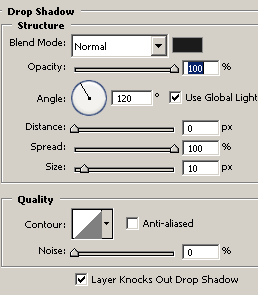
Apply: Layer->Layer Style->Drop Shadow

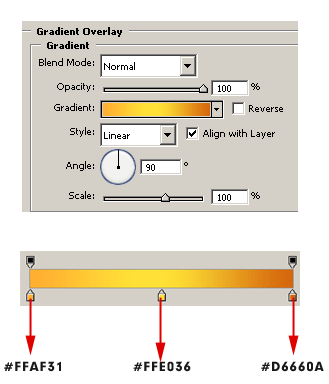
Apply: Layer->Layer Style->Gradient Overlay

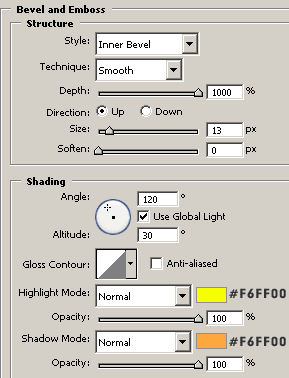
Apply: Layer->Layer Style->Bevel and Emboss

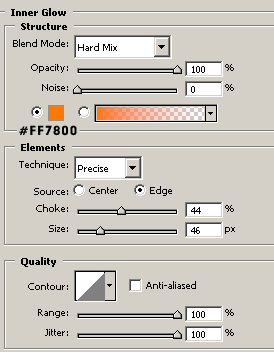
Apply: Layer->Layer Style->Inner Glow

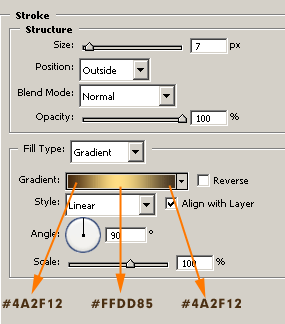
Apply: Layer->Layer Style->Stroke

You can download .pad file here.