

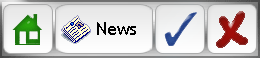
This tutorial with guide you through how to make a these cool navigation buttons, which can be used throughout your site. Your result should be similar to this:
1. Create a new document however big you want your button with a transparent background
2. Using the Rounded Rectangle Tool with a Radius of 10px, or another Radius depending on the size of your button. The examples above are 48x48 (except the news one) with a Radius of 10px.
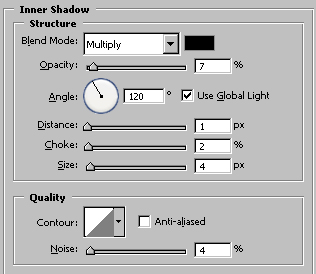
3. Right Click the layer and select Blending Options, use these Blending Options:
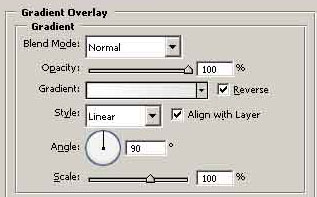
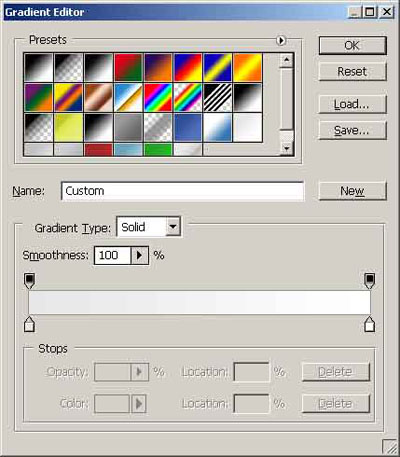
#e7e7e7 to #ffffff
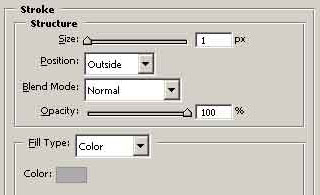
4. That gives us the main button area. Now all you have to do is add your own icons and/or text and you have a complete button.
