1. Open the document [Ctrl+O]

2. Choose the photo zone [Ctrl+click Layer1]
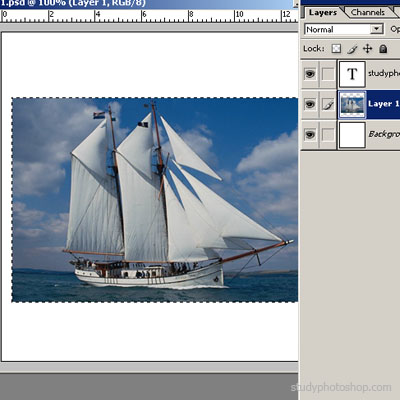
3. Choose Select>Modify>Smooth (sample radius 15 px)

4. Choose Select>Inverse [Ctrl+Shift+I]

5. Choose Del, Ctrl+D and that's it

Her

 Level: Beginner Software:
Photoshop
Level: Beginner Software:
Photoshop 1. Open the document [Ctrl+O]
2. Choose the photo zone [Ctrl+click Layer1]
3. Choose Select>Modify>Smooth (sample radius 15 px)
4. Choose Select>Inverse [Ctrl+Shift+I]
5. Choose Del, Ctrl+D and that's it
