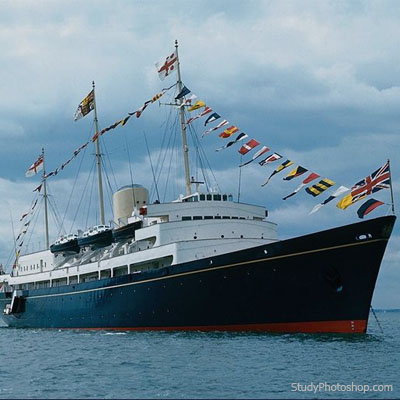
1. Open your image
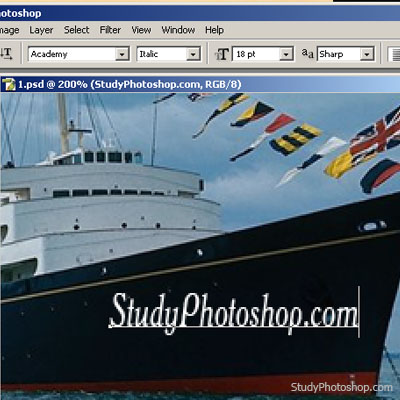
2. Choose "horisontal type tool" (T) and type a text
3. Transform it (Ctrl+T) and rotate on the angle

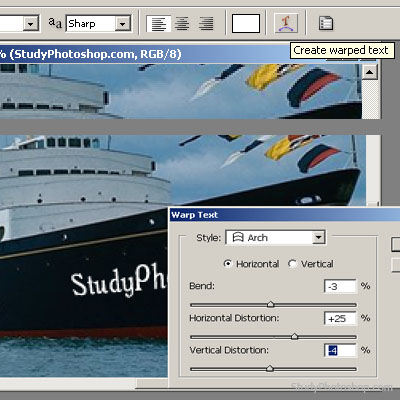
4. Click "Create Warped Text" on a tools panel and choose "Style Arch"
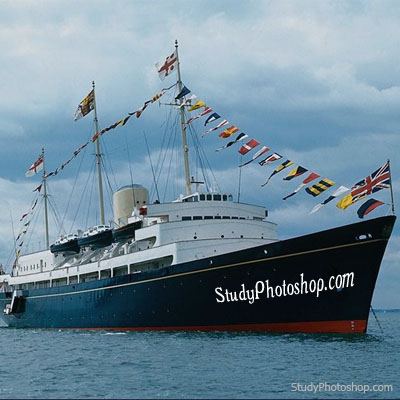
5. Get the result
Her
 Level: Beginner Software:
Photoshop
Level: Beginner Software:
Photoshop 1. Open your image
2. Choose "horisontal type tool" (T) and type a text
3. Transform it (Ctrl+T) and rotate on the angle
4. Click "Create Warped Text" on a tools panel and choose "Style Arch"
5. Get the result
