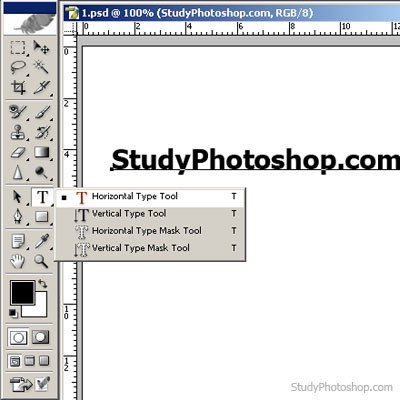
1. Create new file [Ctrl+N] with white background, write 'StudyPhotoshop.com' with black text colour [T]
2. Choose Layer > Duplicate layer…

3. Choose Edit > Transform > Flip Vertical

4. Choose Edit > Transform > Skew

5. Choose Layer > Layer Style > Gradient Overlay… and make some adjustments.
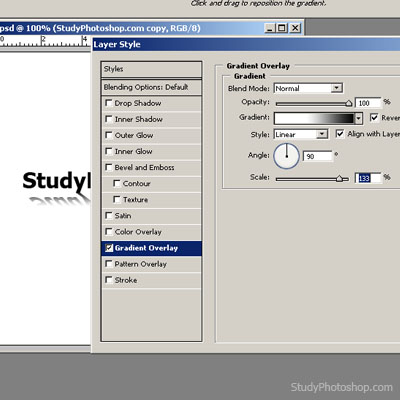
6. Here's the result