

Learn to draw xp style account information card with this tutorial. Final output of the tutorial can be seen below :

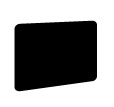
Draw this shape with rounded rectangle tool. Set the radius to 5 pixels :

Press control+t and adjust the shape as shown :
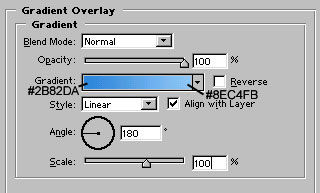
Apply these layer styles in it:
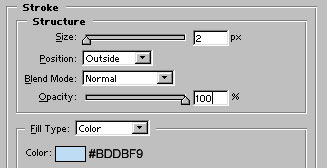

Now, draw this shape with rectangle tool :

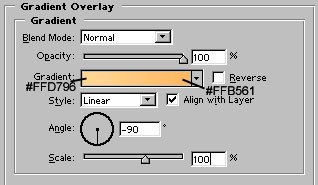
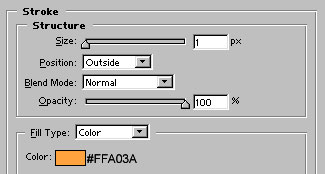
Apply these layer styles in it:

Now, with the help of pen tool, draw the shape as shown below :
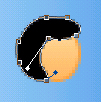
Draw this shape with pen tool :

Adjust the nodes :

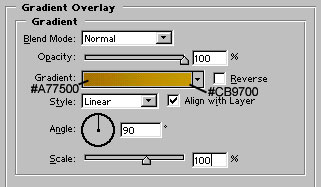
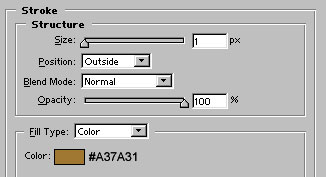
Apply these layer styles in it:
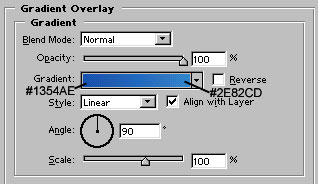
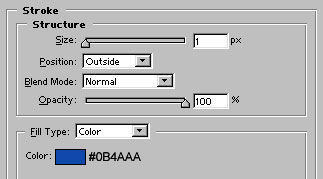

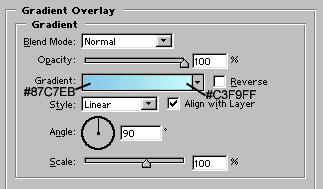
Draw the path with pen tool :

Apply these layer styles in it:

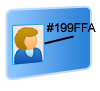
Draw a white color rectangle with rectangle tool. Add stroke of #199FFA color as shown:
Draw another shape with rectangle tool. Add gray color lines with rectangle tool :

Create another white color shape with rounded rectangle tool.Also rasterize the layer:

Use high feather eraser tool to erase most of the bottom part of the shape. Our card is ready :)
