

In this tutorial, you will learn to create a transparent glass effect on text. Final output of the tutorial can be seen below :-

Type "TEXT" with Times New Roman font having 100 point size and #4D2607 color.

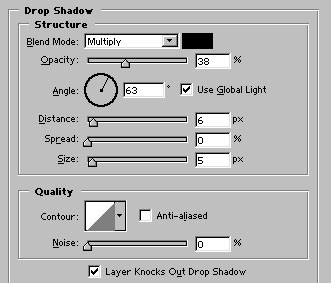
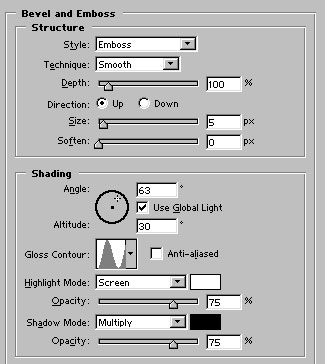
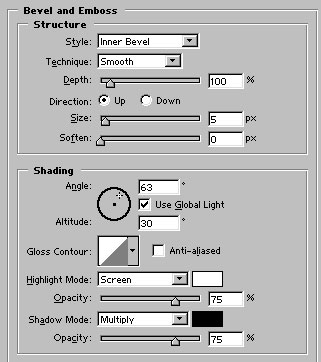
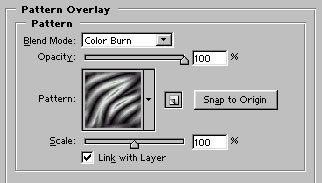
Apply these layer styles in it :
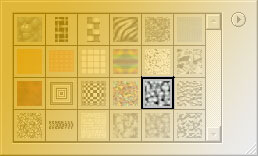
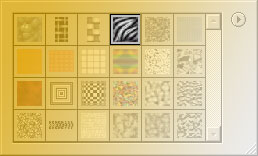
Select this pattern :
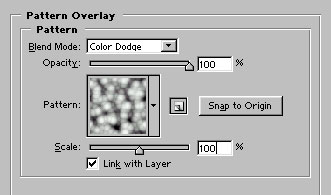

Now, control+click on its layer name in layer palette to select it. Create a new layer. Name it txt2. Fill the selection with #ECB200 color.

Use high feathered eraser tool ( 65 px ) and erase the part of the layer after deselecting (control+d) it.

Apply these layer styles in it:

Draw this shape with Rectangle tool. Use ECB200 color to fill the shape.

Apply similar layer styles ( bevel & emboss and pattern overlay ) as we applied in txt2 layer. Our Transparent Glass Text is ready :)
