Start by filling the background with Dark Grey color. Type any text of your choice. Font Settings for the Text VAG Rounded font, 100 point size and Black Color

Right click on its layer name in layer palette. Select Blending options and select Gradient Overlay.
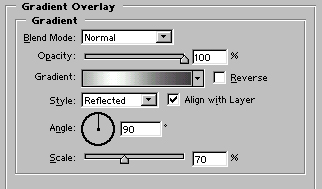
Image after applying Gradient Overlay.

Control+Click on the text layer's name in layer palette to select it.

Go to select>contract Selection and contract the selection by 2 pixels.
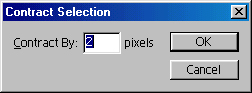
Type layer after contracting the selection

Now, press shift+control+i to inverse the selection. Now press ctrl+alt+shift and click on the text layer name in layer palette. You will have selection like shown in the figure.

Create a new layer. Press control+h to hide the selection. Use 60 px high feather brush and drag the brush over the selection using white, light grey and dark grey colors.

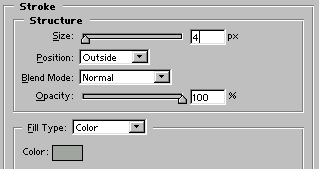
Press control+d to deselect. Apply these layer styles in the border layer :
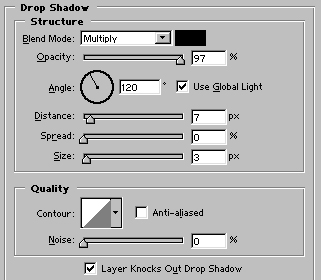
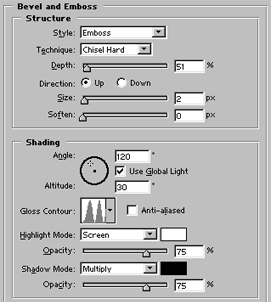
Our metallic text is ready :)