First of all, select pen tool
 . Now click on path
 and draw the path as shown:
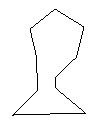
Click on convert to point tool
 and adjust the nodes as shown in following figures :
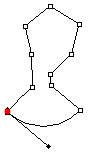
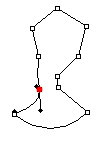
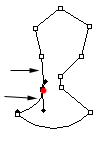
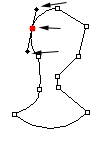
Follow the above mentioned steps to have this shape.
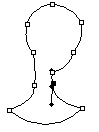
Press control+enter to have a selection of the path. Create a new layer and fill the selection with black color.

Again, draw another path as shown.
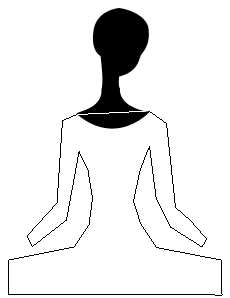
Follow the images below to create body of the girl :)
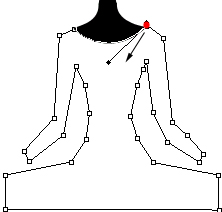
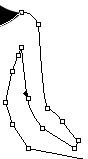
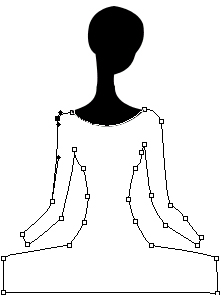
Create another layer, press control+enter and fill the selection with #2F537D.
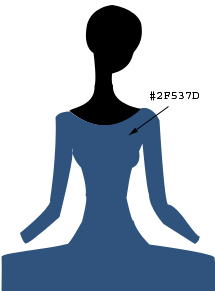
Draw hands with the help of pen tool as shown :

Draw another path for abdomen.
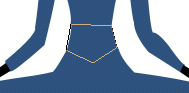
I have enlarge the screenshot for better viewing and controling the anchor points. Adjust the nodes as shown:
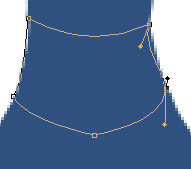
Fill the selection with black after pressing control+enter and creating a new layer :)

Draw another path as shown :

Adjust the nodes, create another layer and press control+enter to have a selection.
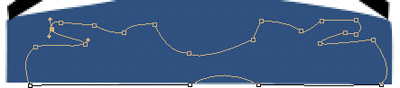
Fill the selection with black color again :)

Draw another path as shown :
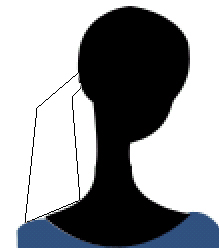
Adjust the nodes :
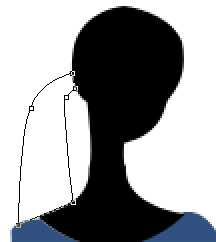
Fill the selection with black .

Add a gradient (radial gradient) to fill the background. Click the link below to find the final output of this tutorial: