

Wooden signboards are very popular. This tutorial teaches you how to design a nice looking wooden signboard. Final output can be seen below:

Start by selecting pen tool. Click on paths and draw the paths as shown:
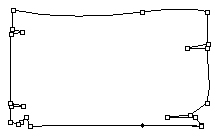
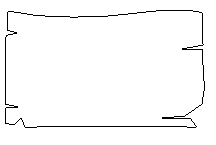
Press control+Enter to select the path. Create a new layer by pressing shift+control+n together. Fill the selection with #EFA03F.

Right click on its layer name in layer palette and select blending options. Under blending options, select Inner Shadow and apply it as shown below:
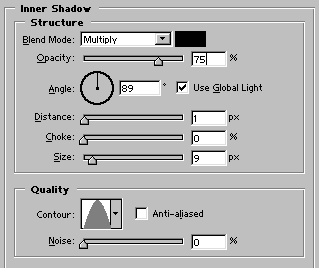
Image after applying inner shadow:

Control+Click on the first layer's name in layer palette to select it. Create a new layer and fill the selection with #A05C40.

Now, the trick. Use high feathered eraser (around 100 pixels). Set the opacity around 40% and erase the most of the middle portion. Also erase the top and lower part of the layer. You will have something like this:

Create another layer for the lines. Draw various lines with 3 pixel wide brush tool.

Finish the design by adding some custom text in it. Tutorial Summary Use Pen tool to draw paths, Fill the selection with desired color, Use eraser to give effect !
