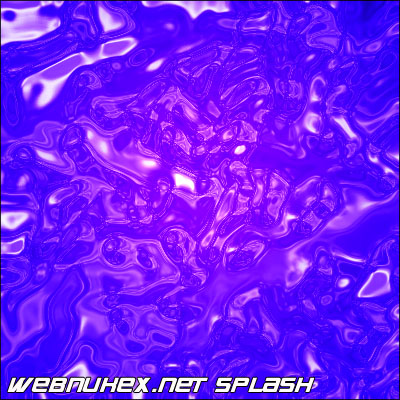
This tutorial below will show you how to make an affective looking splash using adobe photoshop. Click on the Picutres to see a bigger view.
Set the Foreground Color to : FCF8F8
Step1. Create a new document 400x400 pixels , create a newlayer , and call this splash
Step 2. Got to Filter > Render > Clouds, then Filter > Render > Difference Clouds.
Step 3. Go to Filter > Render > Lens flare, and repeat this until you get something looking like this below.
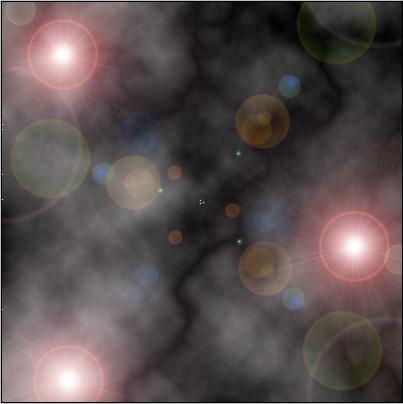
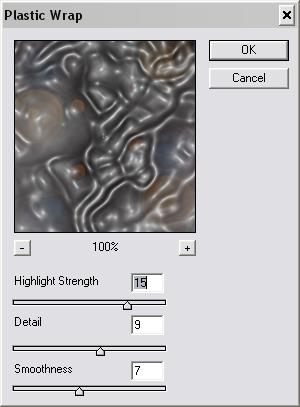
Step 4. Go to Filter > Artistic > Plastic Wrap and use the following settings as the ones below
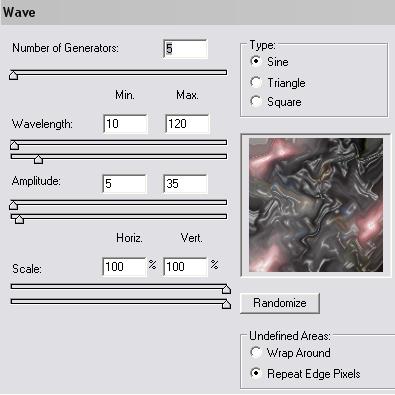
Step 5. The Go To Filter > Distort > Waves and use the settings as followed below:
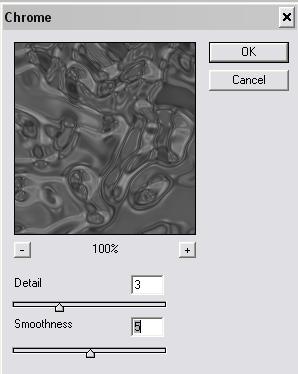
Step 6. Then go to Filter > Sketch > Chrome and use the settings as below :
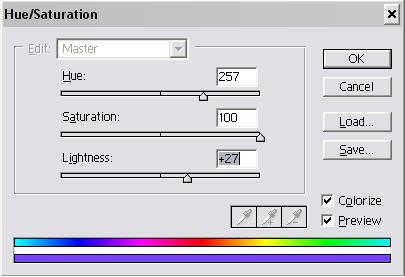
Step 7. Then Press CTR (+U) , And use the following settings as below!
Step 8. Then duplicate Layer And Set it to overlay
Then Add some Text As you Wish and also play around with like i did and here is the Result Below :