Create a new canvas and type your text. I used "Vox-Slanted" bold at 41 pixels with all caps. Download font here.

Now that you have your text, you can now right click on the text layer and select, "Blending Options...". Now click on "Drop Shadow".
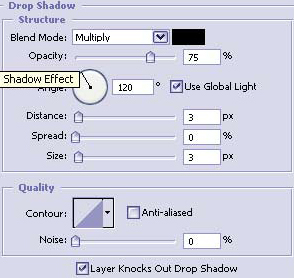
Do not click OK yet... still more to do
Now click "Inner Shadow".
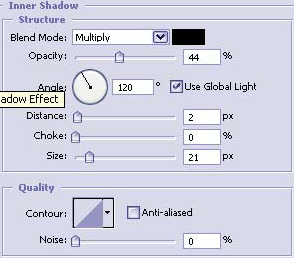
Do not click OK yet... still more to do
Lets give it some color now by clicking on the "Outer Glow."
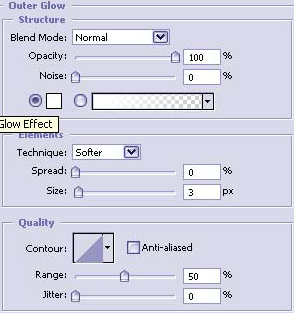
Do not click OK yet... still more to do
Now click on "Bevel and Emboss".
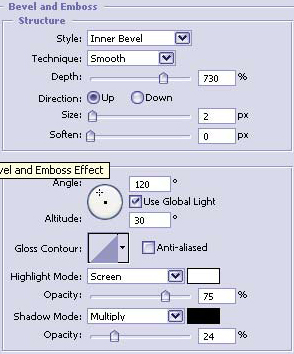
Do not click OK yet... still more to do
Now click on "Contour".
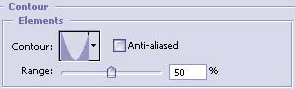
Do not click OK yet... still more to do
Now click on "Gradient Overlay".
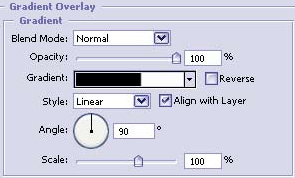
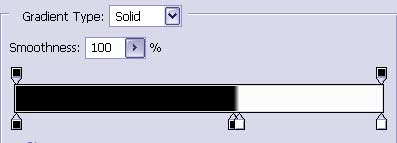
Once you have made the gradient you may click OK.
The chrome looks good against both black and white backgrounds so should look just as good on many other background colors or images.
The Results!!!