Using the text tool type some text with a typeface of your choice.

Now that you have your text, you can now right click on the text layer and select, "Blending Options...". Now click on "Inner Shadow".
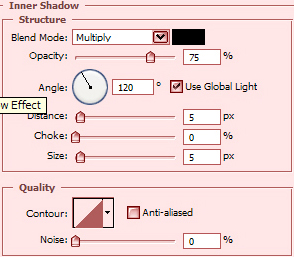
Do not click OK yet... still more to do.
Now click "Outer Glow".
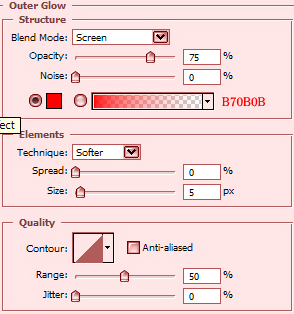
You may now click OK.
The Results!!!
The below image is the final results.