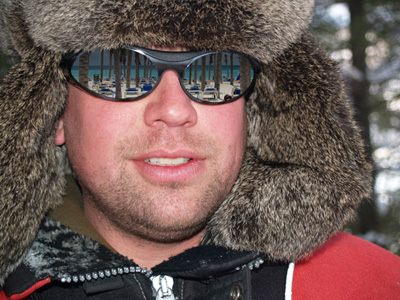
In this tutorial we'll see how to modify the reflection on someone's glasses.
Let's take this picture from Sxc.hu.
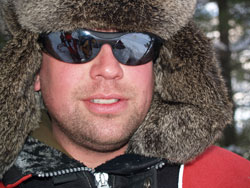
You need an account to download it, but if you're a designer you'll probably already have an account at sxc.hu, otherwise create one, it's obviously free.
Open the photo in Photoshop and zoom to 100%. Pick the pen tool and draw along the lens limit, draw both the lenses.
This image is particularly complicated but other images will have a more regular shape of the lenses without anything in front of them.
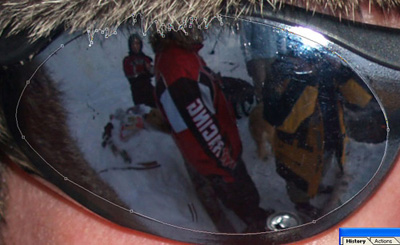
When you've finished drawing your document should look like this.
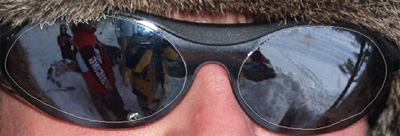
Now still with the pen tool selected right click on the path and choose Make Selection with these settings.
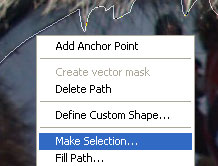
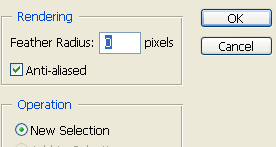
The path you made with the pen tool should have been converted to a selection
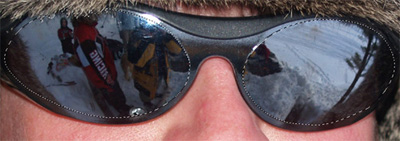
that we'll save in order to use it later, so hit Select > Save selection and name it "Lenses".
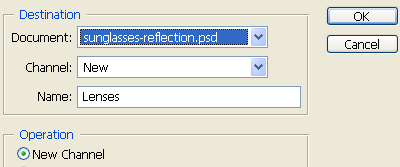
Now we need the image we want to be reflected in his sunglasses, I'll use this one
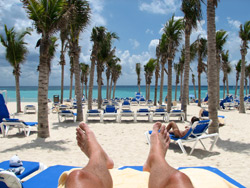
Open it in photoshop, drag it into the sunglasses document and resize it to a size you like for the reflection in the sunglasses.
Press Ctrl + D to deselect the sunglasses or you won't be able to resize the beach image.
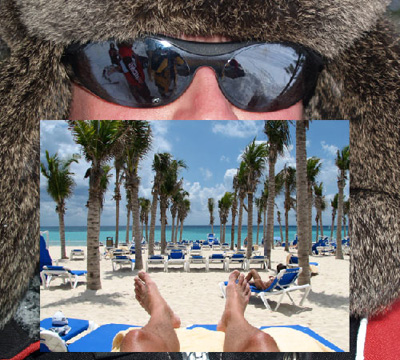
Now drag the image in it's final position over the lenses and go to Select > Load Selection.
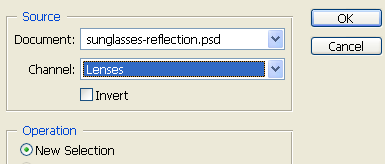
and the selection should pop over the beach image.
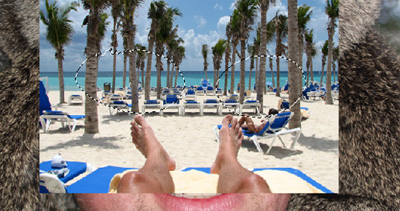
Now go to Select > Inverse (or Ctrl + Shift + I) and after this press Delete to remove everything outside the lenses (make sure to be on the beach layer).
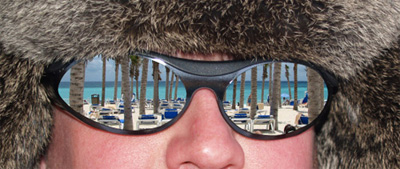
Now invert the selection again, create a layer below the beach one and fill the selection with black.
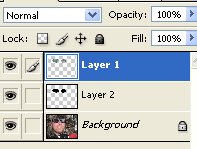
Now select the beach reflection layer and go to Layer > Add Layer Mask > Reveal All.
Load again the selection as we did before, choose a White to Black Linear Gradient and set its opacity to about 50% then draw from down to top inside one of the lenses.

I also set the opacity of the beach layer to 86% and this is my result.