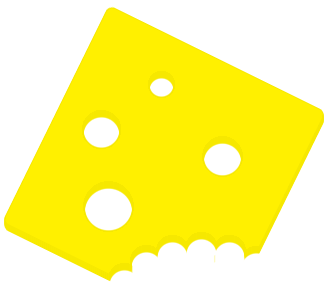
In this tutorial we'll create a bitten slice of cheese.
Open a new document 400px x 400px with white background.
Create a new layer and name it "cheese", select the rounded rectangle tool and choose 7px as radius, tick the antialiased option and draw a rectangle or a square, this will be the shape of the cheese slice. I used the color #FFF000
Rotate this layer a bit.

Now select the eraser tool and use a round brush as its shape, I'm using a 30px round brush for the bite part.
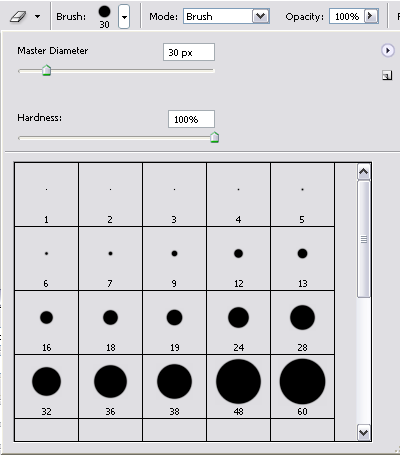
Erase some consecutive circles in order to draw something similar to a byte on a corner of the square, then erase the part that remains separated from the main slice.

Change the size of the brush and draw some holes in the cheese.
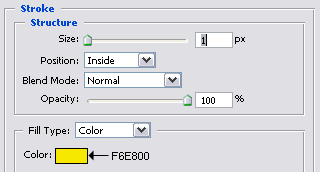
Now double click on the cheese layer and add a stroke effect with these settings:
Now click on the cheese layer and drag it on the New Layer button, it will be duplicated and named "cheese copy"; select the move tool and press the up arrow once.
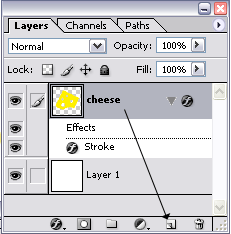
Repeat this step several times until your slice gets the thickness you desire.
In this way we duplicate a layer and move it up by 1 pixel in order to achieve a 3D effect.
Be sure to drag always the last created layer on the New Layer Button, otherwise you won't get any visible effect after you moved it up by 1 pixel.
This is my result with the cheese layer duplicated and moved 7 times.