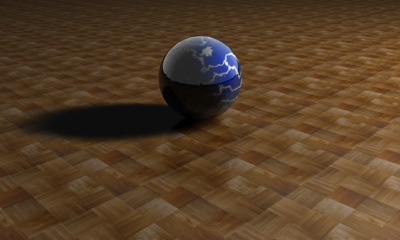
Here we'll learn how to case shadows in C4D. This is pretty easy, but at the same time, there are many different results you can get from doing the same thing. In the example images I use a marbel material for the ball and wooden material for the floor, these are just for eye candy, the results of the shadows are the same with or without the materials.
First we need to create a floor object (Objects >> Scene >> Floor)
Next We need an object to cast a shadow off of, lets use a Sphere (Objects >> Primitive >> Sphere)
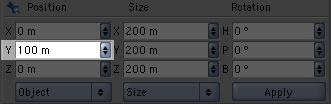
With your sphere selected, change the Y coordinate under Position to 100
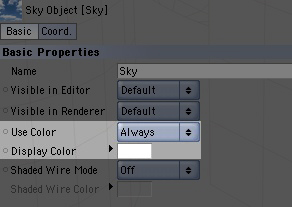
Next we need a white background. So lets create a sky object (Objects >> Scene >> Sky)
With the sky selected go over to the attributes manager (by default its on the left) and change Use Color to Always
Last object we need is light, so lets create a light object (Objects >> Scene >> Light)
Now our scene should look pretty dark
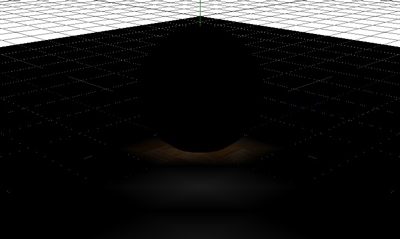
This is because the light by default it put in the middle of the scene, making the light shine what's under the floor. So we need to move it.
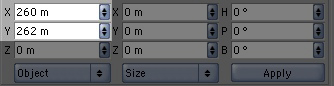
With the light object selected, change the X Position to 260 and the Y Position to 262
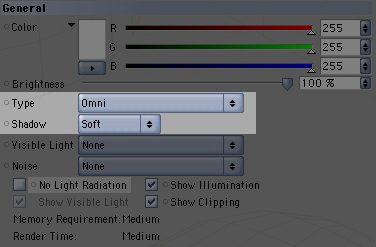
With the light object still selected change Shadow to Soft in the attributes manager (you can leave Type set to Omni).
Now you can render the scene (Render >> Render View) and wah la, a shadow
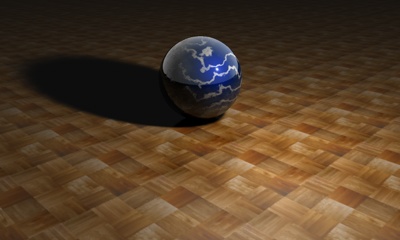
Like I said at the beginning of the tutorial, there are many different out comes you can get, the shadow depends on the placement of the light. Changing the X position will change the size of the shadow; while changing the Y position will change the length of the shadow. You can also change the Z position to change the direction in which the shadow is casted.
Here are some final images, with the position of the light:
X - 860
Y - 262
Z - 0
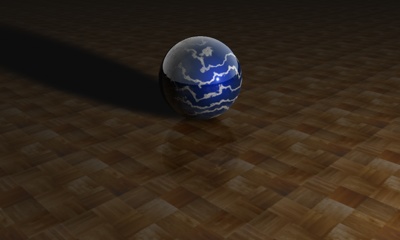
X - 260
Y - 862
Z - 0
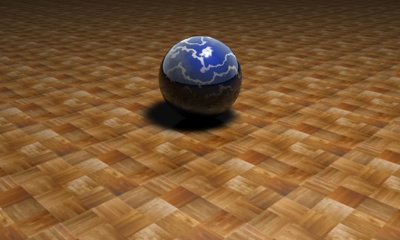
X - 860
Y - 862
Z - 0
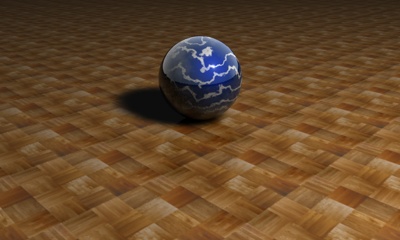
X - 860
Y - 862
Z - 1000