Introduction
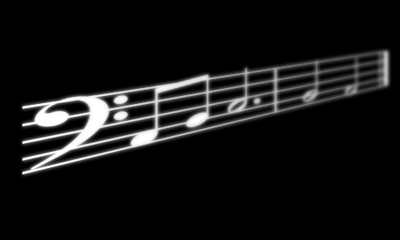
I recently got the urge to make some music notes on a staff and I thought it would look really neat to make it look sort of 3D by making it look like the staff of notes goes backwards into the piece, but it didn't look too convincing so I thought I would try to add some Depth of Field to it. I accomplished the effect and it looked very nice in the end.
What is Depth of Field?
A lot of people do not know what exactly depth of field is. Depth of field is mainly talked about and used in photography, but is used in many other kinds of art such as 2D art and 3D art. What exactly is it though? Depth of field is the area of a photograph, or image, from front to back in focus. There are two types; shallow and great depth of field. Shallow depth of field has only one area of the photo in focus and the rest is blurred or out of focus whereas great depth of field has the whole area of the photo in focus. Here are a couple of examples:
Preparing the Image
This will probably be the hardest part of the whole tutorial and I'm not going to go into detail on how I achieved some things. I'll give you an example to go by so you have to be fairly experienced with Photoshop.
Begin by making a canvas about 500(w)x300(h)
Make the background black (#000000)
Download this brush that we will use for this tutorial. You can always use a brush or shape of your liking though, but I'm not sure how well it will work with this tutorial.
Once you download the brush put it in the center of your canvas (new layer) in white (#FFFFFF)
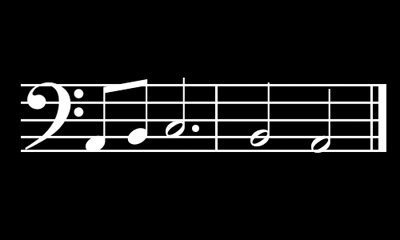
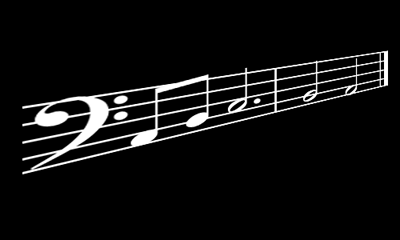
Once you have the music on your canvas do a distortion transform and make it look like this:
Applying the Depth of Field
Duplicate your music layer
Gaussian Blur the duplicated layer by 2.5 pixels
Move the duplicated layer underneath the original layer
On the original add a layer mask
Take the gradient tool and choose the white to black gradient
start at the clef (the beginning of the music) and follow it back to the end.
You should now have some shallow depth of field on it.