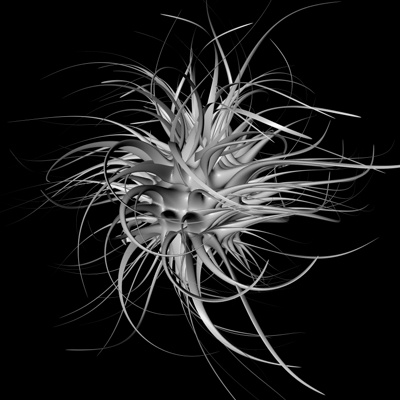
1. Objects > primitive > sphere
2. Structure > make editable or "C" on your keyboard
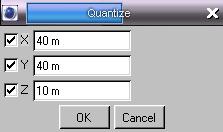
3. Structure > edit surface > quantize
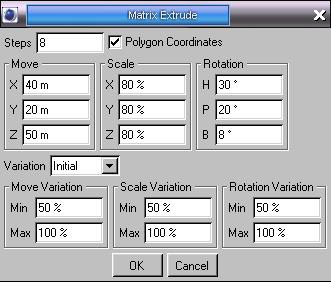
4. Structure > edit surface > matrix extrude
5. Objects > NURBS > hyperNURBS
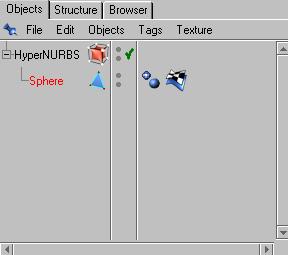
6. Now on the right you should have this
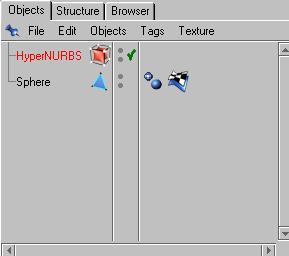
7. Next click and hold on the sphere and drag to the HyperNURBS till the arrow is pointing
Down, now you should have this
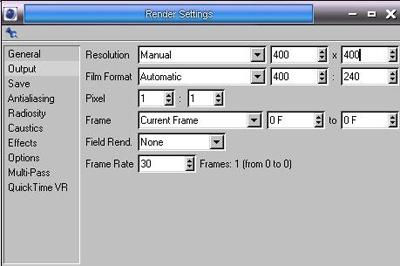
8. Render > render settings
Under "Output"
Then under "Save"
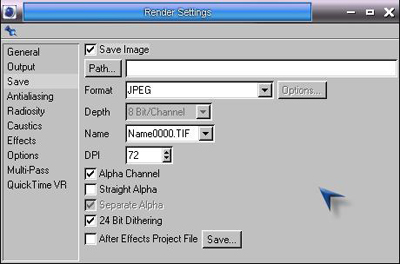
Now your path may be different depends on where you want to save it i chose my desktop,
After you got the settings done you can close the settings window
9. Render > render to picture viewer or "Shift + R"
When its done you should have this
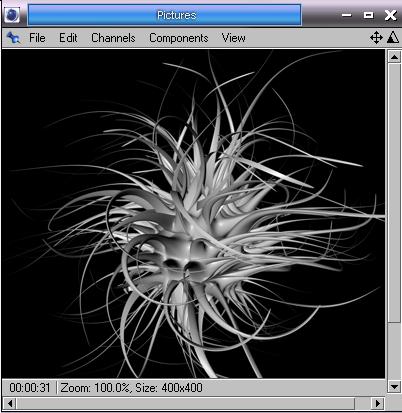
Now on in that window go to File > save picture as
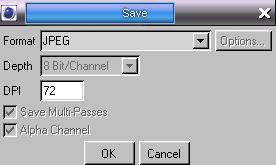
Then hit ok and save the picture where you wish
My Final: