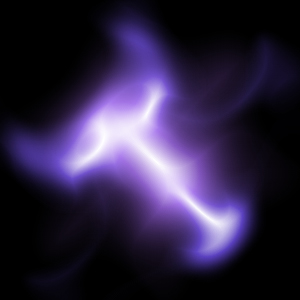
1. Make a new document, I used 300x300.
2. Paint your background BLACK.
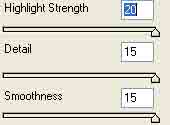
3. Add Filter>Artistic>Plastic Wrap with these following settings:
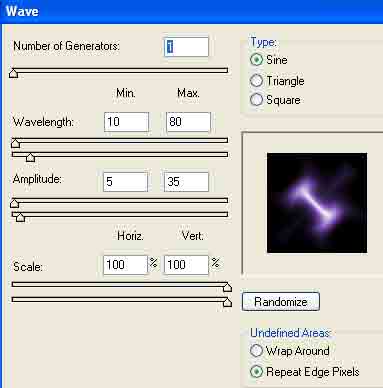
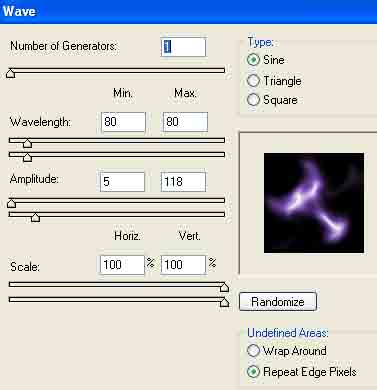
4. Add Filter>Distort>Wave with these settings:
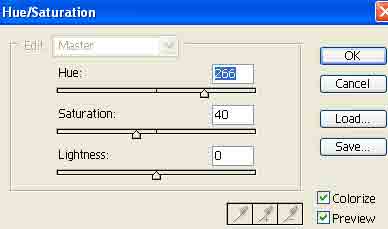
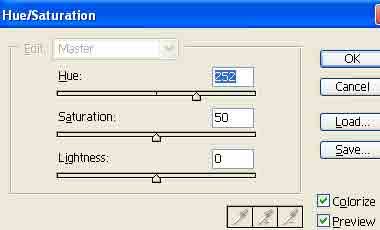
5. Press Ctrl+U to add color. Use these settings below:
6. Right click the layer and go to Duplicate. After duplicated apply Screen as the new layers blending change.
7. Filter>Distort>Wave apply another wave to the new duplicated layer and use these settings:
8. Still on the new layer, press Ctrl+U and apply these hue settings:
Voila!