1. Make a new document, any size doesn't matter. Now press "D" on your keyboard to reset the foreground and background colors to black and white. Make sure your background is black.
2. Make a new layer and select white as your foreground. Use the Brush Tool. Select the Permanent Marker Brush:

Make some squiggly lines like above.
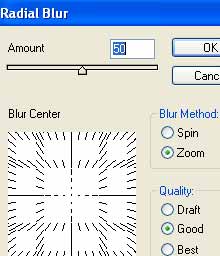
3. Apply Filter>Blur>Radial Blur with these settings:
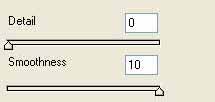
Apply Filter>Sketch>Chrome with these settings:
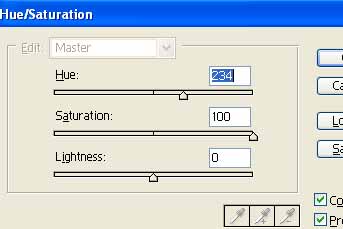
Now apply your color Ctrl+U: