1. Make a 400x400 document. Now press "D" on your keyboard to reset the foreground and background colors to black and white. Make sure your background is white.
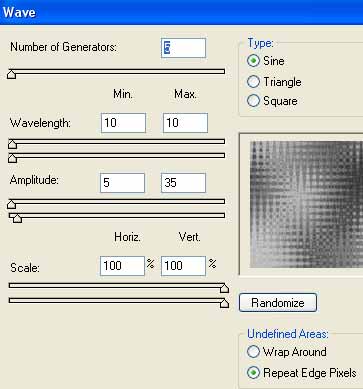
2. Go to Filter>Render>Clouds. Now duplicate the clouds layer. We now want to work on the new duplicated layer. Start off by adding Filter>Distort>Wave with the following settings:
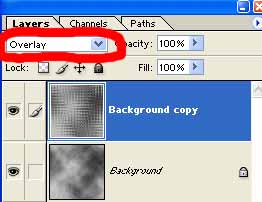
3. Now we want to make the bottom layer somewhat visible so change the layers blending mode to Overlay.
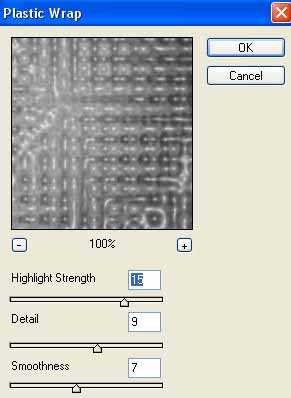
Still working on the top layer, we now want to add some plastic wrap to it. Filter>Artistic>Plastic Wrap
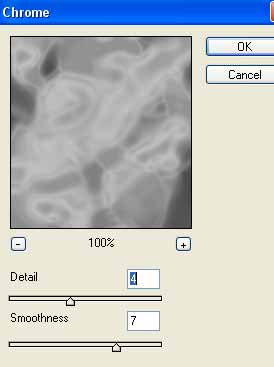
4. Go back to the bottom layer (click it). Now go to Filter>Sketch>Chrome and use these settings:
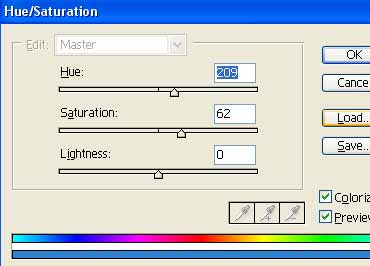
5. Now go back up to the top layer again, lets add some color. Press Ctrl+U. Use these settings or come up with your own color:
There you go, here is my final abstract effect: